
5G Small Cell Deployment 5G small cell deployment has become the cornerstone of modern telecommunications infrastructure, transforming how mobile networks deliver ultra-fast connectivity to urban and suburban areas. As mobile data consumption continues to skyrocket and the demand for low-latency applications grows, telecommunications companies are rapidly deploying small cells to create dense, high-capacity networks that can handle the next generation of wireless services. What Are 5G Small Cells? Small cells are low-powered radio access nodes that operate in licensed and unlicensed spectrum, designed to improve network coverage and capacity in targeted areas. Unlike traditional macro cell towers that can cover several miles, small cells typically have a range of 10 meters to 2 kilometers, making them perfect for filling coverage gaps and adding capacity in high-traffic areas. The key characteristics of 5G small cells include: Compact size: Often no larger than a pizza box or backpack Lower power consumption: Typically 2-20 watts compared to 20-160 watts for macro cells Flexible deployment: Can be mounted on street poles, building sides, or utility infrastructure High frequency support: Optimized for millimeter wave (mmWave) frequencies used in 5G networks Types of Small Cells in 5G Networks Femtocells The smallest type of small cell, femtocells are designed for indoor use in homes and small offices. They typically cover areas up to 50 square meters and support 2-8 simultaneous users. These cells connect to the core network through broadband internet connections. Picocells Slightly larger than femtocells, picocells cover areas up to 200 meters in radius and can support 64+ users simultaneously. They’re commonly deployed in shopping malls, airports, stadiums, and other indoor venues with high user density. Microcells The largest category of small cells, microcells can cover areas up to 2 kilometers in radius. They’re typically deployed outdoors to fill coverage gaps between macro cell sites or to add capacity in suburban areas. The Strategic Importance of Small Cell Deployment The deployment of 5G small cells addresses several critical network challenges: Network Densification: As data usage grows exponentially, traditional macro cells become congested. Small cells add capacity by creating smaller coverage areas with dedicated resources for local users. Millimeter Wave Coverage: 5G’s high-frequency mmWave signals have limited range and struggle to penetrate buildings. Small cells positioned closer to users overcome these propagation challenges. Ultra-Low Latency: By processing data closer to end users through edge computing integration, small cells can achieve the sub-millisecond latency required for applications like autonomous vehicles and industrial automation. Cost-Effective Coverage: Deploying multiple small cells can be more economical than building new macro cell towers, especially in dense urban environments where real estate is expensive. 5G Small Cell Deployment Strategies Urban Dense Deployment In city centers and business districts, carriers typically deploy small cells every 100-500 meters to ensure seamless coverage and maximum capacity. This creates a “grid-like” network topology that can handle thousands of simultaneous connections per square kilometer. Key considerations for urban deployment include: Zoning and permitting regulations Aesthetic requirements from local authorities Power and fiber backhaul availability Site acquisition and lease agreements Suburban and Rural Coverage While urban areas receive priority for small cell deployment, suburban and rural markets are increasingly important for 5G coverage completion. In these areas, small cells are strategically placed to: Fill coverage gaps between macro cells Provide targeted capacity increases in shopping centers and schools Enable 5G service along transportation corridors Support precision agriculture and smart city initiatives Technical Requirements for Small Cell Infrastructure Backhaul Connectivity Every small cell requires a high-capacity backhaul connection to the core network. The most common backhaul options include: Fiber Optic Backhaul: The gold standard for small cell connectivity, providing virtually unlimited capacity and minimal latency. However, fiber availability remains a significant challenge in many markets. Millimeter Wave Backhaul: Wireless point-to-point connections using high-frequency bands can deliver multi-gigabit capacity where fiber isn’t available. Sub-6 GHz Wireless Backhaul: More affordable than mmWave but with limited capacity, suitable for lower-traffic small cell sites. Power Infrastructure Small cells require reliable power sources, typically delivered through: Utility power connections: Direct connection to electrical grid Power over Ethernet (PoE): For lower-power indoor applications Solar panels with battery backup: Increasingly popular for remote deployments Mounting and Installation Proper small cell mounting ensures optimal radio frequency performance and regulatory compliance. Common mounting solutions include: Street light poles: Most popular urban deployment option Utility poles: Cost-effective in suburban areas Building facades: Ideal for targeted indoor coverage Dedicated small cell poles: Custom installations for optimal placement Challenges in 5G Small Cell Deployment Regulatory and Zoning Hurdles Local governments often have complex approval processes for small cell installations, including: Zoning board approvals: Can take 6-18 months in some jurisdictions Environmental reviews: Required in historically significant areas Aesthetic requirements: Stealth installations and design standards Right-of-way access: Negotiations with property owners and utilities Site Acquisition Complexity Unlike macro cell towers on dedicated sites, small cells often require coordination with multiple stakeholders: Utility companies for pole access and power connections Local authorities for permits and right-of-way usage Property owners for building-mounted installations Community groups for addressing aesthetic and health concerns Technical Integration Challenges Integrating thousands of small cells into existing networks requires sophisticated coordination: Network Synchronization: All cells must be precisely synchronized to prevent interference and ensure seamless handoffs between cells. Interference Management: Dense small cell deployments can create interference issues that require advanced algorithms and coordination techniques. Network Management: Monitoring and maintaining thousands of small cells requires automated systems and artificial intelligence-powered network optimization. Economic Impact of Small Cell Deployment The small cell market has experienced explosive growth, with industry analysts projecting significant continued expansion. According to recent market research, the global small cell market is expected to reach $67.3 billion by 2027, driven primarily by 5G network deployments. Job Creation and Economic Development Small cell deployment creates numerous economic opportunities: Construction and installation jobs: Thousands of technicians needed for physical deployment Network engineering positions: Specialists required for planning and optimization Site acquisition roles: Professionals needed to secure deployment locations Maintenance and operations: Ongoing jobs for network monitoring and repair Local

Network Security Best Practices: Your Complete Guide to Protecting Your Digital Infrastructure in 2025
Network Security Best Practices Network security best practices have become more critical than ever as cyber threats continue to evolve and multiply across the digital landscape. With businesses increasingly relying on digital infrastructure and remote work environments, implementing robust network security measures isn’t just recommended—it’s essential for survival. This comprehensive guide will walk you through the most effective strategies to safeguard your network against today’s sophisticated cyber threats. Why Network Security Best Practices Matter More Than Ever The cybersecurity landscape has dramatically shifted in recent years. According to Cybersecurity Ventures, cybercrime damages are projected to cost the world $10.5 trillion annually by 2025. This staggering figure underscores why organizations of all sizes must prioritize network security best practices. Modern networks face threats from multiple vectors: ransomware attacks, data breaches, insider threats, and sophisticated nation-state actors. Without proper security measures, a single vulnerability can compromise your entire digital infrastructure, leading to financial losses, regulatory penalties, and irreparable damage to your reputation. Essential Network Security Best Practices for 2025 1. Implement Zero Trust Network Architecture Zero Trust represents a fundamental shift from traditional perimeter-based security models. This approach assumes that no user, device, or application should be automatically trusted, regardless of their location within or outside the network perimeter. Key Zero Trust principles include: Verify every user and device before granting access Apply least privilege access controls Continuously monitor and validate security posture Micro-segment network resources The National Institute of Standards and Technology (NIST) provides comprehensive guidelines for implementing Zero Trust architecture effectively. 2. Deploy Multi-Factor Authentication (MFA) Everywhere Multi-factor authentication serves as one of your most effective defenses against unauthorized access. By requiring multiple forms of verification, MFA significantly reduces the risk of successful cyber attacks, even when passwords are compromised. MFA implementation best practices: Enable MFA for all user accounts, especially administrative accounts Use hardware tokens or authenticator apps rather than SMS when possible Implement adaptive authentication based on risk assessments Regularly audit and update MFA policies Research from Microsoft shows that MFA can prevent 99.9% of automated attacks on user accounts. 3. Maintain Comprehensive Network Visibility You cannot secure what you cannot see. Comprehensive network visibility involves monitoring all network traffic, devices, and user activities to identify potential threats before they cause damage. Essential visibility components: Network traffic analysis and monitoring Asset discovery and inventory management User behavior analytics Security information and event management (SIEM) systems 4. Regular Security Updates and Patch Management Unpatched systems remain one of the most common attack vectors. Cybercriminals actively exploit known vulnerabilities, making timely patch management crucial for network security. Effective patch management strategies: Establish automated patching for critical security updates Maintain an inventory of all network assets and their patch status Test patches in a controlled environment before deployment Prioritize patches based on vulnerability severity and asset criticality The Common Vulnerability Scoring System (CVSS) provides a standardized method for rating vulnerability severity to help prioritize patching efforts. 5. Network Segmentation and Micro-Segmentation Network segmentation creates barriers between different network zones, limiting the potential spread of security breaches. Micro-segmentation takes this concept further by creating granular security zones around individual applications, workloads, or data sets. Segmentation best practices: Separate critical systems from general user networks Implement secure gateways between network segments Use software-defined perimeters for flexible segmentation Regularly review and update segmentation policies 6. Robust Backup and Disaster Recovery Planning Even with the best preventive measures, security incidents can still occur. Comprehensive backup and disaster recovery plans ensure business continuity and minimize the impact of successful attacks. Backup and recovery essentials: Follow the 3-2-1 backup rule (3 copies, 2 different media, 1 offsite) Regularly test backup integrity and recovery procedures Implement immutable backups to protect against ransomware Document and practice disaster recovery scenarios The Cybersecurity and Infrastructure Security Agency (CISA) provides valuable resources for ransomware prevention and recovery planning. 7. Employee Training and Security Awareness Human error remains a significant factor in security breaches. Regular security awareness training helps employees recognize and respond appropriately to potential threats. Effective training programs should cover: Phishing and social engineering tactics Password security and MFA usage Safe browsing and email practices Incident reporting procedures Remote work security considerations Advanced Network Security Technologies to Consider Artificial Intelligence and Machine Learning AI and ML technologies enhance network security by identifying patterns and anomalies that might indicate potential threats. These technologies can process vast amounts of data to detect sophisticated attacks that traditional security tools might miss. Extended Detection and Response (XDR) XDR platforms provide comprehensive threat detection and response capabilities across multiple security layers, including endpoints, networks, and cloud environments. This integrated approach improves threat visibility and response times. Software-Defined Perimeter (SDP) SDP creates secure, encrypted connections between users and applications, regardless of their physical location. This approach provides granular access control and reduces the attack surface by making applications invisible to unauthorized users. Compliance and Regulatory Considerations Network security best practices must align with relevant regulatory requirements. Key frameworks and regulations include: GDPR for organizations handling EU citizen data HIPAA for healthcare organizations SOX for publicly traded companies PCI DSS for organizations processing credit card data ISO 27001 for information security management systems The International Organization for Standardization (ISO) provides comprehensive guidance on information security management best practices. Creating Your Network Security Action Plan Implementing network security best practices requires a structured approach: Assess Current Security Posture: Conduct comprehensive security audits to identify vulnerabilities and gaps Prioritize Based on Risk: Focus on the most critical vulnerabilities and highest-risk assets first Develop Implementation Timeline: Create realistic timelines for deploying security measures Allocate Resources: Ensure adequate budget and personnel for security initiatives Monitor and Measure: Establish metrics to track security improvement progress Continuous Improvement: Regularly review and update security practices based on emerging threats Common Network Security Mistakes to Avoid Over-relying on perimeter security without implementing internal controls Neglecting mobile device security in BYOD environments Failing to update security policies as business needs evolve Inadequate vendor security assessments for third-party services Insufficient incident response planning and testing The Future

Elon Musk’s Starlink Satellite Communication: How iPhones and Android Phones Can Now Make Calls Anywhere Using Satellites
INTRODUCTION Ever want to call someone from a remote location where even the most reliable cellular networks can’t get through? Elon Musk’s Starlink satellites have made this future concept a reality. Without the need for mobile towers, SpaceX has launched a ground-breaking service that enables iPhones and Android phones to send and receive texts and calls from almost anywhere in the world. This invention is set to change international communication, particularly for people living in isolated locations, explorers venturing into not explored regions, or anyone in an emergency without access to the usual network coverage. This change is primarily due to Elon Musk’s Starlink satellites. Starlink’s extensive network of low Earth orbit (LEO) satellites is helping to bridge the gap between common smartphones and space technologies. This creative concepts service integrates effortlessly with the gadgets you already carry in your pocket, unlike usual satellite phones that need large, specialized hardware. You’re never really off the grid, thanks to Starlink’s satellite communication, whether you’re climbing in the mountains, sailing across the ocean, or stuck in a catastrophe area. For worldwide access, this is a huge leap, not simply a step forward. T-Mobile and other carriers are helping to make Elon Musk’s vision of a connected society a reality. How does it operate, though? What is Starlink Satellite Communication? Fundamentally, Starlink satellite communication is an unprecedented approach of staying connected wherever you are on the planet. In contrast with other mobile phone and internet services, which depend on ground-based infrastructure such as fiber-optic cables and cell towers, Starlink beams signals straight to your device via a network of low Earth orbit (LEO) satellites. This implies that even in the most isolated or underserved locations—locations that standard networks just cannot reach—you may use the internet, make calls, and send texts. How Does It Work? Starlink’s system is powered by thousands of small satellites orbiting the Earth at altitudes much closer than traditional satellites – these satellites form a massive constellation, working together to create a web of coverage that spans the entire globe. When you make a call or send a message, your smartphone connects to the nearest Starlink satellite, which then relays the signal to a ground station or another satellite, ensuring your communication reaches its destination. The real game-changer here is that Starlink’s satellite communication doesn’t require specialized hardware for everyday users. While common satellite phones are bulky, expensive, and limited in functionality, Starlink’s technology integrates with the smartphones we already use—iPhones and Android devices. This makes it accessible to millions of people without the need for additional equipment. Why is This Different? Modern satellite communication systems often suffer from high latency (delay) and limited bandwidth because they rely on satellites orbiting much farther from Earth. Starlink’s LEO satellites, on the other hand, are positioned much closer to the planet, reducing latency and improving speed. This makes the service not only more reliable but also more practical for everyday use, from video calls to streaming. Who Benefits from Starlink Satellite Communication? The applications are vast; for adventurers and explorers, it means staying linked in the wilderness or on the open seas. For rural communities, it’s a lifeline to essential services like healthcare, education, and business. And for emergency responders, it’s a critical tool for coordination during disasters when traditional networks are down. In essence, Starlink satellite communication is more than just a technological advancement—it’s a bridge to a more linked world. By eliminating the barriers of geography and infrastructure, it’s paving the way for a future where no one is left offline. How Starlink Satellite Communication Works for Smartphones One of the most exciting aspects of Starlink satellite communication is that it works with the smartphones we already use—no bulky, expensive satellite phones required. But how exactly does this futuristic technology integrate with everyday devices like iPhones and Android phones? Let’s break it down. Direct Satellite-to-Phone Communication Starlink’s system allows your smartphone to connect directly to its network of low Earth orbit (LEO) satellites. Here’s how it happens: 1. Signal Transmission: When you make a call or send a text, your smartphone sends a signal to the nearest Starlink satellite orbiting overhead. These satellites are much closer to Earth than older satellite systems, which means the signal travels faster and with less delay. 2. Satellite Relay: The Starlink satellite receives your signal and relays it to a ground station or another satellite in the constellation – This network of satellites works together to ensure your message reaches its destination, whether that’s another phone, an internet server, or a emergency response center. 3. Seamless Integration: The magic of Starlink’s technology lies in its ability to work with existing smartphones; unlike older satellite communication systems that require specialized hardware, Starlink’s service is designed to function with the devices already in your pocket. This means you don’t need to buy a new phone or carry extra equipment. Partnerships with Mobile Carriers To make this possible, Starlink has partnered with mobile carriers like T-Mobile – These partnerships allow the satellite network to integrate with existing cellular infrastructure. When your phone is out of range of a cell tower, it can automatically switch to Starlink’s satellite network, ensuring you stay connected even in the most remote areas. What Can You Do with It? Initially, the service focuses on text messaging and basic voice calls, with plans to expand to data services in the future. This makes it ideal for: – Emergency Situations: If you’re stranded in a remote area, you can still call for help. – Outdoor Adventures: Hikers, campers, and sailors can stay in touch even in the wilderness or out at sea. – Rural Communities: People living in areas with poor or no cellular coverage can finally access reliable communication. Limitations to Keep in Mind While this technology is groundbreaking, it’s not without its challenges: – Bandwidth Constraints: The service is designed for basic communication, so don’t expect to stream videos or download large files. – Line of Sight: Your phone needs a

Telecommunication Technicians in the 21st Century: Empowered and Skilled
Introduction Have you ever wondered about the invisible threads that connect us, even across vast distances? The magic of modern communication lies in the hands of telecommunication technicians. They are the unsung heroes behind the scenes, ensuring that our phones have a signal, our internet connections remain steadfast, and the world stays connected 24/7. But who exactly is a telecommunication technician, and what role do they play in this ever-evolving digital age? Join us on a journey as we unravel the captivating realm of telecommunication technicians and their indispensable contributions to the global network. Who is a Telecommunication Technicians? A telecommunication technician is a skilled professional responsible for installing, maintaining, and repairing the intricate web of communication systems that keep us linked to the digital world. They are the experts behind the scenes, working tirelessly to ensure that data flows seamlessly, calls remain crystal clear, and the world stays in touch without interruption. The Vital Role of Telecommunication Technicians Bridging the Digital Divide: In a world where connectivity is considered a basic human right, telecommunication technicians play a pivotal role in bridging the digital divide. By extending their expertise to remote and underserved areas, they bring the power of communication to even the farthest corners of the globe. Ensuring Seamless Network Connectivity: Ever experienced a dropped call or a laggy video call? Telecommunication technicians work diligently to eliminate such disruptions, ensuring that network connectivity remains smooth and uninterrupted, regardless of the geographical location. Maintaining and Repairing Communication Infrastructure: From cell towers reaching for the sky to intricate fiber optic networks snaking beneath the ground, telecommunication technicians are the guardians of this sprawling infrastructure. They conduct regular maintenance and swift repairs to keep the lines of communication open. Key Responsibilities of Telecommunication Technicians Installation of Communication Equipment: Telecommunication technicians are the architects of the communication landscape. They install and configure a diverse range of equipment, from routers and switches to antennas and transmitters, making sure each component harmoniously contributes to a reliable network. Testing and Troubleshooting Networks: Before you make that important business call or stream your favorite show, telecommunication technicians are rigorously testing networks to ensure optimal performance. When issues arise, they dive into action, identifying and rectifying problems swiftly. Collaborating with Engineers and Clients: Collaboration is at the heart of the telecommunication technician’s role. They work closely with engineers, designers, and clients to translate technical specifications into real-world solutions. Their insights drive innovation and ensure the seamless integration of new technologies. The Path to Becoming a Telecommunication Technician Education and Training: The journey to becoming a telecommunication technician typically starts with a solid educational foundation in electronics, telecommunications, or a related field. Many technicians have associate degrees or vocational training that equips them with essential knowledge. Developing Technical Skills: Beyond formal education, hands-on experience is invaluable. Telecommunication technicians refine their skills through apprenticeships and on-the-job training, mastering the art of equipment installation, configuration, and troubleshooting. Certifications for Advancement: As technology evolves, so does the role of a telecommunications technician. Industry-recognized certifications, such as CompTIA Network+ and Cisco Certified Network Associate (CCNA), validate expertise and open doors to advanced career opportunities. Thriving in the Evolving Telecom Industry 5G Implementation: Challenges and Opportunities: The advent of 5G technology brings both excitement and challenges. Telecommunication technicians are at the forefront of this revolution, tasked with deploying and maintaining the infrastructure required for lightning-fast speeds and seamless connectivity. Internet of Things (IoT) and Its Impact: With IoT devices multiplying exponentially, telecommunication technicians are instrumental in creating a cohesive ecosystem. These devices communicate with each other and the central network, requiring technicians to ensure flawless integration and data flow. The Future of Telecommunication Technicians Embracing Technological Advancements: The future is teeming with possibilities as technology continues to advance. Telecommunication technicians will need to stay abreast of trends such as virtual reality, edge computing, and AI-driven network optimization. Adapting to Industry Transformations: As the telecommunications landscape evolves, so must its technicians. The shift towards software-defined networking (SDN) and network virtualization means that technicians will need to acquire new skill sets to stay relevant. Finding the Right Telecommunication Technician When seeking a telecommunication technician for your projects, look for individuals with a blend of technical prowess, a hunger for learning, and a knack for problem-solving. Remember, these professionals are the backbone of our interconnected world, so selecting the right fit is crucial to maintaining seamless communication. Conclusion In a world that thrives on connection, telecommunication technicians are the unsung heroes who ensure that the threads of communication remain unbroken. From installing complex equipment to troubleshooting intricate networks, their expertise fuels the digital age’s progress. As technology continues to evolve, telecommunications technicians will stand as sentinels, guarding the gates to our interconnected future. So, the next time you make a call, stream a video or send a message, remember the dedicated telecommunication technicians working tirelessly behind the scenes to make it all possible.
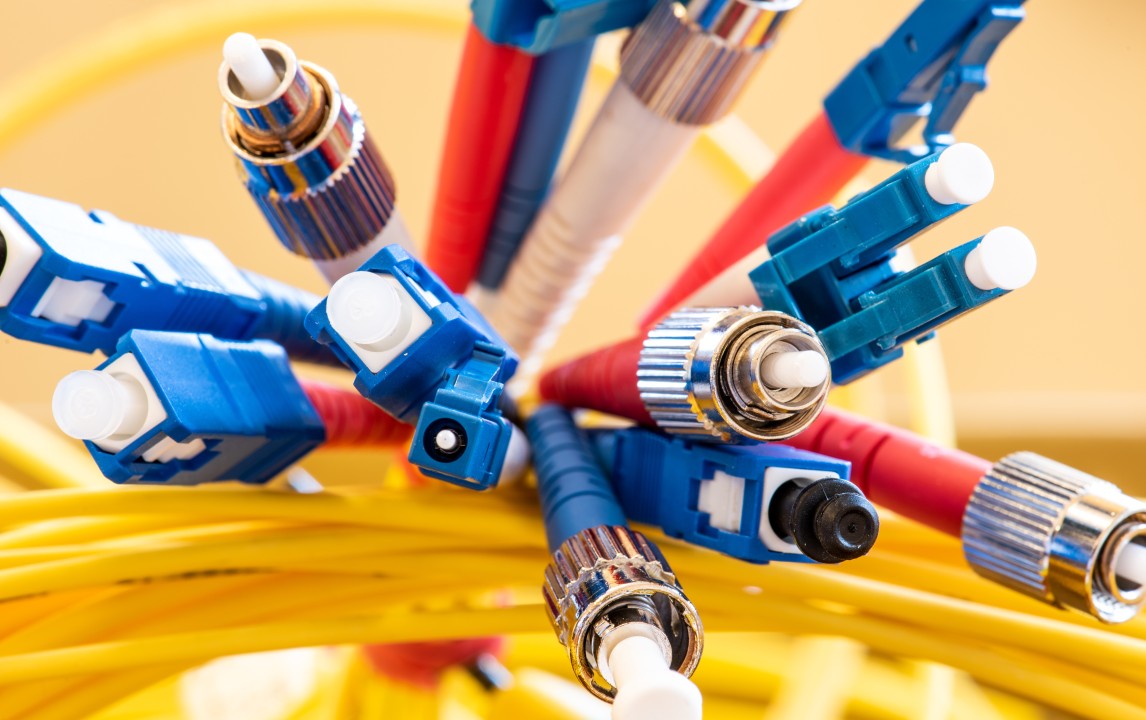
5 Dynamic Components of a Fiber Optic Cable and Functions
Introduction: What is a Fiber Optic Cable? In our last contest, we explained the importance of optical fibers, so let’s talk about the components of fiber cables. Fiber optic cable is a type of network used for long-distance communications and high-performance data networks. It is made up of several optical fiber strands enclosed in a protective sleeve, and they have a higher bandwidth and can transmit data over longer distances than telephone lines. Many internet, television, and telephone systems in use today are powered by fiber optic cables. Components of a Fiber Optic Cable Optical cables have five main components: core, cladding, coating, strengthening fiber, and cable jacket. What is a Fiber Optic Core? This is the physical glass medium that transmits optical signals from a light source that is connected to a receiving device. Light travels on an optical fiber through its smallest part, called the core. The core of an optical fiber is most often constructed of glass, though some are made of plastic as well. The glass used is pure carbon dioxide (SiO2), a very transparent substance that makes looking at the glass from a distance of 5 miles the same experience as looking through a house window. What is Fiber Optic Cladding? To enable the optical fiber to function, a lower refractive index cladding covers the core. When glass cladding is used, it is made from the same silicon dioxide-based material as the core in a permanently fused form. Throughout the manufacturing process, typical diameters of the cladding are also created. There are two common sizes: 125 micrometers and 140 micrometers. A 125um cladding usually has a core size of 9 to 50 m, while a 140um cladding typically has a core size of 62.5 m. What is Fiber Optic Coating? The coating is the optical fiber’s protective layer against shocks, nicks, scrapes, and even dampness that can harm the cladding. Without a coating, optical fiber is extremely delicate; the coating does not affect the fiber’s capacity to convey light. The coating is chosen for a particular kind of usage or setting. Acrylate is a typical form of coating, which is put into two layers: The cladding receives direct application of the primary coating, and because of its softness, this coating acts as a support for the bent optical fiber. The secondary coating has a hard exterior and is more durable than the primary coating. The Strengthening Fiber The additional layer of protection that this fiber-optic network cable layering has prevents the fragile glass fiber from being completely damaged during installation. As a result, the entire layer—the wire sleeves, tubes filled with gel, and sleeves—is composed of Kevlar. It serves as the layer of opaque or light-absorbing glass that is positioned between the protective fibers. This is done to completely stop any light that can penetrate one fiber strand and enter the other strand. What is a Fiber Optic Cable Jacket? The protective sleeve around the fiber cable plays an important role in protecting the fragile optical fibers in the cable from environmental factors and external forces. Approved for usage in outdoor settings, jackets are made to withstand extreme weather conditions, such as high temperatures and UV radiation. The most common applications for them are outside, like cable lines that are buried or suspended. Conclusion Fiber optic cables are commonly made with a glass core and glass cladding and when all of these components are combined, they guarantee reliable and effective data transfer across vast distances and they are essential to the proper functioning of contemporary fiber optic communication networks, and the importance cannot be emphasized.
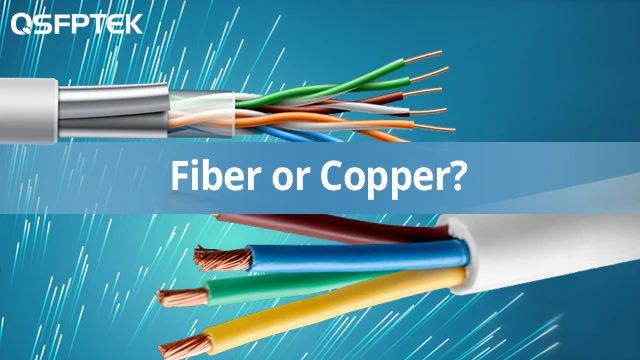
5 Insights into Fiber Cables Vs Copper Cables in Telecommunication
An Overview of Fiber Cables From our last discussion on fiber optics, we already know that fiber cable is the science of transmitting data, voice, and images through the passage of light through thin, transparent fibers. We shall thus talk about the advantages of fiber optics over copper cables in this context (fiber cables vs. copper cables). Introduction to Copper Cables Copper cables are single electrical conductors, either insulated or uninsulated, that are used for electric motors, lighting, heating, communication, and networking. With a small amount of resistance to the passage of electricity, copper is the conductor that is most frequently used in various types of electrical wiring. Significance of Fiber Cables Vs Copper Cables Does the bandwidth offered by copper high-speed Internet and fiber Internet differ significantly from one another? The significance of copper cables vs fiber cables and how they influence data transmission, network dependability, and the overall evolution of telecommunications networks is discussed Advantages of Fiber Optic Cables Over Copper Cables 1. High Bandwidth The easiest way to define bandwidth is to define it as the highest rate at which data may be transferred (usually over the Internet) or as the capacity of a network, which is usually measured in megabits per second (Mbps) or gigabits per second (Gbps). Although copper high-speed Internet providers rarely provide this functionality, fiber technology providers give consumers “symmetrical bandwidth,” or equal rates for both uploads and downloads. If you need to send a signal over longer distances, fiber optic cables are a better option because copper cables can only send data for up to 100 meters. In contrast, certain single-mode fiber-optic cables can send data up to 25 miles. 2. Durability Copper cable is easily damaged by accident or during installation. Copper has a poor tension tolerance despite its massive size. Fiber is more resilient, lightweight, and smaller than copper cabling; intentional vandalism is usually the only way to break it. However, as fiber is composed of glass, care must be taken when handling it. To increase its durability, it is usually covered with a layer of protection. 3. Safety Fiber optic lines don’t transport electrical impulses and are extremely difficult to tap into, offering far greater data security. By keeping a check on the power transfer, one can easily identify compromised or damaged cable, while copper connections are still vulnerable to tapping, which could compromise your network or even slow down your internet. 4. Resistance to Electromagnetic Interference One particular benefit of fiber optic cables is that they are not exposed to electromagnetic interference (EMI), while copper cables can be affected by external electromagnetic fields. Because fiber optic cables offer steady and interference-free data transmission, they are particularly useful in high-EMI contexts, including industrial settings or places with a lot of electrical gadgets. The quality and dependability of data transfer over fiber optic networks are greatly enhanced by their insensitivity to electromagnetic interference. 5. Low Signal Loss While copper cables suffer signal attenuation, fiber optic cables are distinguished by their remarkable signal integrity, boasting negligible signal loss over extended distances. Fiber optics preserve the integrity and clarity of data, allowing for dependable and high-performing transmission, and are the best option for long-haul telecommunications infrastructure because of their low signal loss characteristic, which is a result of the special qualities of glass or plastic fibers. Conclusion With the introduction of optical cable, copper has been completely replaced in all aspects of network transmission due to its ever-reducing cost, higher capacity, exceptionally high speed and long transmission distance, outstanding dependability, and ideal security. The most widely used technology for modern cabling installations and upgrades, including foundations and even desktop applications, is fiber optic cable.

3 Rewarding Telecommunications Relay Service Jobs
Introduction: Telecommunications Relay Service Jobs Overview of Telecommunications Relay Service Jobs (TRS) The Telecommunications Relay Service (TRS) facilitates communication for individuals with hearing or speech disabilities. There are two options available through the Telecommunications Relay Service (TRS): voice carry-over (VCO) and hearing carry-over (HCO). With VCO, an individual with a hearing disability can communicate with the other party directly and subsequently read the response typed by a CA. While with HCO, a person with a speech disability can hear the other party, and the CA can return the typed response to the telephone user. With the help of this service, people with communication problems can speak with anyone on the phone. (Telecommunications Relay Service jobs) Importance of TRS in Inclusive Communication TRS, or Text Relay Service, helps facilitate communication between individuals who are deaf, hard of hearing, or have speech impairments and those who can hear and speak fluently. TRS uses text-based messaging to enable people with hearing or speech impairments to communicate effectively with others and promote equal access to information and opportunities. This allows anyone, regardless of their communication skills, to participate in conversations, make phone calls, and participate in various aspects of daily life. TRS promotes inclusivity by making communication accessible to all, fostering a more connected and inclusive society. Job Roles within the Telecommunications Relay Service 1. Communication Assistant (CA): A Communication Assistant (CA) is like a language bridge for people who have difficulty hearing or speaking. Their job is to help individuals with hearing or speech impairments communicate over the phone, listen to what one person is saying, type it out, and then show it to the other person. 2. Customer Service Representative: Customer Service Representatives (CSRs) in the telecommunications relay service industry are like friendly helpers, and they assist people who use relay services by answering questions and solving problems. If someone has trouble using the relay service or needs information, CSRs are there to guide them. They make sure that everyone feels supported and can use the service easily. 3. Technical Support Specialist: Technical support specialists are the tech experts in the relay service world who focus on making sure all the technical stuff runs smoothly. If there’s a glitch or a problem with the relay service, these specialists are the go-to people to fix it. They work behind the scenes, ensuring that the technology supporting communication for people with hearing or speech challenges is always up and running. Qualifications and Skills: What You Need for a Job in Telecommunications Relay Service You don’t need a degree to work in Telecommunications Relay Service (TRS), but you do need certain qualifications and skills that will help you succeed. Friendly Talk and Tech Know-How: TRS jobs are all about making communication easy for everyone. You don’t have to be a tech genius, but being comfy with gadgets and having a friendly way of talking are great starting points. Sign Language Magic: While not always a must, knowing a bit of sign language can be super helpful. It’s like adding an extra tool to your communication toolbox. Learning on the Job: You don’t have to be a pro from day one. TRS jobs often provide on-the-job training, and if you are passionate about learning and carry a positive attitude, you are on the right track. Career Advancement Opportunities: Moving Up in Your TRS Career If you’re working in Telecommunications Relay Service (TRS), there are great chances for you to grow in your career. Let’s look at some ways you can climb the career ladder: Supervisory Roles: As you gain experience, you might get a chance to take on a supervisory role, which means you’ll be in charge of guiding and leading a team of TRS professionals. Training Positions: You could become a trainer, helping new folks learn the ropes; sharing your knowledge and skills with others is not only fulfilling but also an excellent way to progress in your career. Specialized Areas within Telecommunications: TRS is just one part of the big world of telecommunications. You might find a particular area that interests you, like focusing on new technologies or working with specific groups of people, which can open up new opportunities. Job Outlook and Demand Starting a career in Telecommunications Relay Service (TRS) requires a few key steps that anyone can take, and you should prioritize your education, so search for programs or credentials in areas like customer service or telecommunications that are relevant to you and can give you a solid foundation for comprehending every facet of TRS. The next stage after laying the foundation via educational attainment is to obtain practical experience, which can be accomplished by looking for volunteer or internship opportunities in the customer service or telecoms industries and not only enhancing your skills but also providing you with a practical understanding of how TRS functions within the business. Networking is a crucial component of launching your career at TRS. Connect with professionals in your field through networking, going to events, and participating in online forums to be informed about the newest trends and job opportunities. How to Start Your Career in TRS Educational Background: Begin by focusing on your education and looking for courses or certifications related to telecommunications, customer service, or technology, and your core knowledge for a successful career in Telecommunications Relay Service (TRS) will be acquired through these educational experiences. Gain Experience: After building your educational foundation, seek opportunities to gain practical experience and also consider internships or volunteer positions that allow you to apply your knowledge in real-world scenarios. Also, you should understand that gaining practical experience is highly beneficial and will increase your competitiveness in the employment market. Networking: Connect with people who are already working in the field of TRS, attend industry events, join online forums, and participate in networking activities. And one thing you should note is that building a network of professionals can provide insights, advice, and potential job opportunities. For more information on TRS, please visit the Federal Communications Commission. The NIDCD maintains a directory of organizations that provide information on the normal and

Tech Pioneers Wanted: Join Submarine Cable Engineer Jobs! 2024
Introduction Have you ever wondered how the internet works? It’s not magic; it’s the result of incredible engineering, like that done by Submarine Cable Engineers. Imagine being the architect of the underwater highways that carry our internet signals across oceans! Overview of Submarine Cable Engineer Jobs Have you ever sent a text message or streamed a video online and wondered how it magically travels across oceans, linking continents perfectly? Well, that’s where Submarine Cable Engineers come into play—they are the architects of the digital deep-sea highways. So, what exactly do they do?: Submarine Cable Engineers are the masterminds behind the planning, construction, and maintenance of the cables that lie beneath the ocean’s surface. Visualize them as the quiet maestros of the global communication symphony, making sure your virtual exchanges span enormous underwater territories. Now, think about it: How do you ensure a smooth conversation with someone on the other side of the planet? These engineers grapple with this challenge every day, meticulously strategizing to make your data journey efficient and reliable. But why cables under the sea? It turns out that sending data through the air, like satellites, can be a little bit like taking a scenic route. Submarine cables, on the other hand, create a direct, high-speed pathway for your internet signals. These engineers are the unseen heroes of information generation; they make sure your data moves quickly and accurately, connecting people all over the world. Importance of Submarine Cable Engineers in Telecommunications Have you ever been amazed at the speed at which you use the internet? Acknowledge the pivotal role Submarine Cable Engineers play in making it happen as they design, lay, and maintain the extensive network of undersea cables, connecting continents and ensuring the swift exchange of information across oceans. Picture this: you’re sending a message to a friend on the opposite side of the globe. Submarine Cable Engineers ensure that your data doesn’t take a detour into space but travels through underwater cables directly. Have you ever considered the vast volume of data that passes through the internet every second? The wizards responsible for building and maintaining the complex network of underwater cables that provide a quick and safe route for your digital communications are known as submarine cable engineers. Now think about the options: We would rely significantly on satellites in the absence of these engineers, which would lead to slower and less dependable internet connections. The primary goals of submarine cable engineers are to increase global communication’s speed, effectiveness, and most significantly, accessibility. Submarine Cable Engineer Jobs 2024 Subsea Construction Engineer Project Engineer – Offshore Export Cable Lead Offshore Cable Engineer (Energy) Asset Installation Engineer Research & Development Engineer Technical Program Manager, Submarine Networks Construction Maintenance Technician Senior R & D Design Engineer Senior/Principal Cable Route Engineer Geotechnical Engineer Cable Engineering Opportunities Senior Mechanical Engineer Qualifications and Education Educational Background for Submarine Cable Engineers Are you dreaming of a career beneath the ocean’s surface as a submarine cable engineer? Concentrate on your studies as you begin your journey. Assume that you are a student of telecommunications or electrical engineering; these fields lay the foundation for understanding the complex web of underwater cables. Have you ever wondered or thought about how information gets around the world? Enroll in classes that investigate the secrets of submerged systems. Having a foundation in these subjects in school will put you on the right track to becoming a proficient submarine cable engineer. So, are you prepared to go out on an educational adventure that will take you from classrooms to the ocean’s depths? Relevant Degrees and Certifications Imagine your education as the compass guiding you to a career in submarine cable engineering. With a degree in electrical engineering, telecommunications, or a similar discipline, you might want to consider setting off. Studying these academic sources will equip you with the information needed to understand the puzzle of the submarine cable. Now let’s talk about certifications, which are educational credentials in the professional sector. Regard them as specific engineering-related skill footprints on your personality, and have you ever thought about starting a certification program to pursue a fascinating career in underwater research? It might hold the secret to opening the gateways to a dimension submerged beneath the surface of the water. Additional Skills and Training: Have you ever considered the extras that make you stand out as a submarine cable engineer? Enhance both your technical knowledge and problem-solving skills to tackle complex situations. Teamwork is the engine that drives successful cable projects; are you ready to collaborate? Effective communication is crucial in the intricate subject of submarine cable engineering since it improves your capacity to explain difficult concepts straightforwardly. In a field that is always changing, continuous education becomes essential; therefore, the issue becomes: Are you prepared to pick up new skills and stay up-to-date? Remember, the more tools in your toolkit, the smoother your journey in submarine cable engineering. Job Responsibilities Have you ever wondered who makes sure your internet signals travel across the seas without a hitch? That’s where submarine cable engineers step in. Designing and Planning Submarine Cable Systems: Crafting the Blueprint Have you ever wondered how the internet travels beneath the ocean? The complicated global network that links us all is designed by submarine cable engineers, who are akin to the sea’s architects. To guarantee an uninterrupted information flow over the vast ocean floor, they determine the optimal paths for the cables and their optimal depth. It’s like planning a superhighway for data, making sure your messages and videos can travel effortlessly from one continent to another. Installation and Maintenance of Submarine Cables Have you ever wondered about the incredible people who make sure the extensive system of underwater cables that power our world runs smoothly? These heroes are the submarine cable engineers. In their role, these engineers take on the critical responsibility of installing and maintaining submarine cables, the lifelines of our digital universe; Also, visualize this: colossal cables lying beneath the ocean, connecting continents, and transmitting data across borders; therefore, submarine cable
How to Set Up a VPN for Secure Internet Browsing
How to Set Up a VPN for Unrivaled Security Making sure your online presence is protected is more important nowadays, where cyber risks are present virtually everywhere. To enhance your online browsing experience, we will make sure to guide you through the process of configuring a Virtual Private Network (VPN). Understanding the Need for Security The need for a secure online environment is critical, whether you’re conducting sensitive transactions or just browsing the web; As long as we continue to live in the age of the internet, concerns about data protection and online privacy will only grow in urgency. Decoding the Basics of VPNs A VPN acts as a virtual barrier between your device and the vast, often unpredictable landscape of the internet. A VPN makes sure that your online activities stay secret and shielded from prying eyes by encrypting your data and directing it through secure servers. Choosing the Right VPN Service The first important step in creating a secure online connection is choosing the right VPN service, and taking into account customer evaluations, server locations, and encryption protocols to choose a provider that best suits your requirements. Step-by-Step Setup Guide on How to Set up a VPN Let’s now go into the details of configuring your VPN to provide a strong defense against potential attacks. 1. Research and Choose a VPN Provider Before embarking on the setup process, thoroughly research and select a reputable VPN provider that aligns with your security requirements, and look for user-friendly interfaces and a diverse server network. 2. Sign Up and Download the VPN Client Once you’ve chosen a provider, sign up for their service and download the VPN client onto your device. Follow the provider’s instructions for your specific operating system. 3. Install the VPN Software Make sure you closely follow the instructions as you proceed through the installation procedure. Accepting the terms and conditions and selecting installation preferences are usually included in this. 4. Configure VPN Settings Upon successful installation, open the VPN client and configure the settings according to your preferences, this may include selecting your desired server location and adjusting encryption options. 5. Test Your Connection Before fully embracing the secure cocoon of your VPN, conduct a thorough test of your connection. Ensure that your IP address reflects the server location you’ve chosen, confirming that the VPN is operational. The Human Touch in Cybersecurity The digital sphere feels indifferent in today’s networked world, but human-centric cybersecurity is unavoidably necessary, configuring a virtual private network (VPN) is more than just protecting your data; it’s also about taking back control of your online activities and creating a safe haven for your online activities. Embracing the Future of Secure Browsing As technology develops, cybercriminals also use more sophisticated techniques; by taking the proactive step of using a VPN, you’re future-proofing your internet experience rather than just adjusting to the here and now. Assume control over your online existence and browse the web with assurance, knowing that your security is in good hands.

10 Tips for Reducing Mobile Data Usage on Your Plan
Smart Strategies to Conserve Mobile Data Usage and Save on Your Plan With constant connectivity, managing your mobile data usage has become a crucial aspect of optimizing your phone plan and avoiding bill shock at the end of the month. Whether you’re on a limited data plan or simply want to make your data allowance go the extra mile, adopting some smart strategies can help you stay connected without burning through your data cap. So watch out for practical tips to help you reduce mobile data usage on your mobile plan: 1. Monitor Your Mobile Data Usage: Start by understanding how much data you currently consume. Most smartphones have built-in data tracking features that show you a breakdown of your data usage by app. Regularly check these statistics to identify which apps are the main culprits and adjust your usage accordingly. 2. Connect to Wi-Fi Whenever Possible: Utilize Wi-Fi networks to their fullest extent. When you’re at home, work, or any location with a reliable Wi-Fi connection, switch over to Wi-Fi to perform data-intensive tasks like streaming, downloading large files, or updating apps. You may drastically lessen your reliance on mobile data usage by taking this easy step. 3. Manage Background Apps: Even when you’re not actively using them, many apps keep making use of data. To limit the amount of background data used, change your settings. For example, you can restrict background refresh for apps that don’t need real-time updates and turn off automatic app updates. 4. Optimize Video Streaming Settings: Streaming videos in high definition consumes a substantial amount of data. Adjust your streaming settings on platforms like YouTube and Netflix to lower the video quality, especially when you’re not connected to Wi-Fi. Consider downloading content for offline viewing when you have access to Wi-Fi. 5. Limit Social Media Auto-Play: Social media platforms often auto-play videos, which can quickly eat up your data. Change the settings on apps like Facebook, Instagram, and Twitter to prevent videos from playing automatically. Instead, choose to play videos only when you’re connected to Wi-Fi. 6. Use Data Compression: Turning on the data compression options that some browsers and apps offer can increase the speed of your whole mobile data usage by reducing the amount of data necessary for downloading and internet browsing. 7. Restrict App Updates to Wi-Fi: Set your smartphone to update apps only when connected to Wi-Fi. App updates, particularly for larger applications, can consume a substantial amount of data, you have more control over when and how your apps are updated by restricting updates to Wi-Fi. 8. Employ Data-Saving Browser Modes: If you frequently browse the internet on your mobile device, use data-saving modes in browsers like Chrome or Opera; these modes compress web pages before loading them, reducing the amount of data transferred and saving you precious megabytes. 9. Consider Data-Saving Apps: Explore third-party apps designed to help you manage and reduce data usage; some apps can compress data, block ads that consume extra data, and provide insights into your data usage patterns. 10. Review and Adjust the App Permissions: Review the permissions your apps have been given regularly; even when not in use, certain apps might still access data, therefore, changing these permissions will improve your privacy and cut down on background mobile data usage and consumption that isn’t necessary. You can increase the lifetime of your data allotment and avoid unexpected costs by using these recommendations for your mobile consumption habits, and recall that using data sensibly not only helps you save money but also guarantees that you may stay connected without sacrificing your online experience.