Tesla Stock Price Drops Amid Declining Electric Vehicle Market Dominance The Tesla stock price continues to face downward pressure as the electric vehicle giant loses ground to competitors, with shares trading around $350.84 after recent volatility. Tesla’s EV market share has fallen to an 8-year low, raising concerns among investors about the company’s long-term automotive leadership. Shares are down 14% in 2025, contrasting sharply with the broader market’s double-digit gains, as traditional automakers flood the EV space with competitive alternatives to Tesla’s aging vehicle lineup. Why Tesla Is Losing Its Electric Vehicle Crown Tesla’s dominance in the U.S. electric vehicle market has dramatically eroded. Recent Cox Automotive data shows the company’s market share plummeted to just 38% in August 2025, marking its first drop below the 40% threshold since October 2017. This represents a stunning fall from Tesla’s peak of over 80% market control. Current Market Performance: U.S. Market Share: 38% (historic 8-year low) China Sales August 2025: 57,152 vehicles (down 9.9% year-over-year) January-August China Performance: 361,179 vehicles (7% decrease vs. 2024) Six consecutive monthly declines in China this year The Competition Problem While Tesla’s lineup remains largely unchanged, competitors like Ford, GM, and luxury automakers have launched fresh EV models with cutting-edge features. The Model S and Model X haven’t received major updates in years, while the Model 3 and Model Y face pressure from vehicles offering similar range at lower prices. China Challenge: Local Manufacturers Winning Tesla’s Chinese operations tell a particularly concerning story. Local manufacturers like BYD, NIO, and XPeng are capturing significant market share with vehicles specifically designed for Chinese consumer preferences and government incentives. The upcoming Model Y L (longer-wheelbase variant) scheduled for September delivery may provide temporary relief, but the fundamental challenge remains: Tesla needs fresh products to compete effectively in the world’s largest EV market. Elon Musk’s $30 Trillion Optimus Robot Gamble Despite automotive struggles, CEO Elon Musk is betting Tesla’s future on revolutionary technologies. Musk recently stated that 80% of Tesla’s value will eventually come from Optimus humanoid robots, which have yet to reach market. His ambitious projection suggests that manufacturing a billion Optimus units annually could generate upwards of $30 trillion in revenue, fundamentally transforming Tesla from an automotive company into a robotics and AI powerhouse. Optimus Development Timeline: Factory deployment at Tesla facilities (beginning soon) Commercial availability targeting $20,000-$25,000 per unit Long-term goal of 1 billion units annually Potential $30 trillion revenue generation Watch: Inside Tesla’s Optimus Robot Factory Integration [Video showcasing Optimus capabilities and manufacturing plans] The Robotaxi Revolution Tesla’s autonomous vehicle program continues advancing despite regulatory challenges. The Robotaxi app recently opened to the general public, expanding beyond Tesla influencers in Austin and the San Francisco Bay Area. Ark Invest believes the robotaxi business alone could represent 90% of Tesla’s enterprise value by 2029, though Musk’s September 4 statement about removing safety drivers “by end of year” faces significant regulatory hurdles, particularly in California. Autonomous Vehicle Roadblocks Current legal frameworks present major challenges to Tesla’s ambitious autonomous vehicle timeline. While technology advances, regulatory approval for fully autonomous operation without safety drivers remains uncertain across most U.S. markets. Wall Street’s Mixed Signals on TSLA Analyst price targets span a wide range, with bearish analysts suggesting $19.05 per share while bullish predictions reach $500. This massive spread reflects deep uncertainty about Tesla’s transformation from automotive leader to AI/robotics company. Technical Analysis: Current Trading Range: $350-$355 52-Week Range: $212.11 – $488.54 Recent Pattern: Higher lows with sideways movement Morgan Stanley: Removed “top pick” but maintains $410 target The $1 Trillion Compensation Controversy Tesla’s board proposed an unprecedented compensation package for Musk worth nearly $1 trillion over ten years, contingent on achieving ambitious milestones including: 20 million vehicles delivered 10 million Full Self-Driving subscriptions 1 million Optimus robots delivered 1 million commercial robotaxis Massive market capitalization growth Morgan Stanley analyst Adam Jonas called this package “a good deal for shareholders,” aligning Musk’s interests with long-term value creation. Investment Outlook: Transformation or Decline? Tesla stands at a critical crossroads. Traditional automotive business faces mounting competitive pressure, while Musk’s vision of an AI-powered future presents potentially massive upside. The fundamental question for investors: Is Tesla a declining car company or the future of human-robot collaboration? Key Risk Factors: Continued market share erosion in core EV business Regulatory challenges for autonomous vehicles Optimus robot commercialization timeline uncertainty Execution risk on ambitious technology promises Potential Catalysts: Successful Optimus deployment in factories Expanded robotaxi service approvals New vehicle launches to refresh aging lineup Breakthrough in Full Self-Driving capabilities The Bottom Line: Tesla’s Make-or-Break Moment Tesla’s current challenges extend far beyond temporary sales fluctuations. The company’s automotive dominance is clearly ending, but Musk’s bold technological bets could redefine the entire business model. Success now depends less on vehicle manufacturing excellence and more on breakthrough achievements in artificial intelligence, robotics, and autonomous systems. For investors, this represents either a declining automotive company or the next chapter in human-technology interaction. Related Investment Analysis: EV Market Competition Analysis 2025 Autonomous Vehicle Regulation Timeline Humanoid Robot Market Projections Tesla Earnings Forecast Updates This analysis contains forward-looking statements based on current market data and company disclosures. Investment decisions should consider multiple factors and professional financial guidance.

VoIP Setup for Small Business: The Complete 2025 Guide to Cost-Effective Communication
VoIP Setup for Small Business VoIP setup for small business has become the cornerstone of modern workplace communication, offering significant cost savings and enhanced flexibility compared to traditional phone systems. With businesses increasingly adopting remote and hybrid work models, implementing a Voice over Internet Protocol (VoIP) system can reduce telecommunications costs by up to 60% while providing enterprise-level features that were once exclusive to large corporations. What is VoIP and Why Small Businesses Need It Voice over Internet Protocol (VoIP) technology converts voice calls into digital data packets that travel over the internet rather than traditional phone lines. This revolutionary approach to business communication has transformed how small businesses connect with customers, partners, and remote employees. Key Benefits of VoIP for Small Businesses: Cost Reduction: Traditional phone systems can cost small businesses $50-100 per line monthly, while VoIP services typically range from $15-35 per user, including advanced features like call forwarding, voicemail-to-email, and conference calling. Scalability: Unlike traditional phone systems that require physical infrastructure changes, VoIP systems can easily scale up or down based on business needs. Remote Work Support: With cloud-based VoIP solutions, employees can make and receive business calls from anywhere with an internet connection. Advanced Features: Modern VoIP systems include features like auto-attendant, call analytics, CRM integration, and video conferencing capabilities. Essential Requirements for VoIP Setup Before diving into the setup process, ensure your business meets these fundamental requirements: Internet Connection Requirements Bandwidth Calculation: Each VoIP call requires approximately 100 kbps of bandwidth. For a 10-employee office with simultaneous calls, you’ll need at least 1 Mbps dedicated bandwidth for voice traffic. Network Quality: VoIP performance depends heavily on network stability. Consider upgrading to a business-grade internet connection with guaranteed uptime and Quality of Service (QoS) features.  Hardware Requirements IP Phones: Choose between desk phones, softphones (software-based), or mobile apps. Popular options include: Yealink T4 series for basic functionality Cisco IP Phone 6800 series for advanced features Polycom VVX series for conference rooms Network Equipment: Ensure your router and switches support QoS features to prioritize voice traffic over data. Power over Ethernet (PoE): PoE switches eliminate the need for separate power adapters for IP phones. Step-by-Step VoIP Setup Process Step 1: Choose Your VoIP Service Provider Selecting the right VoIP provider is crucial for success. Consider these top-rated options: RingCentral: Comprehensive business communication platform with robust mobile apps and integrations. Plans start at $19.99/month per user. 8×8: Enterprise-grade features with excellent international calling rates. Basic plans begin at $15/month per user. Nextiva: Known for exceptional customer service and user-friendly interface. Pricing starts at $18.95/month per user. Ooma Office: Cost-effective solution for very small businesses, with plans starting at $9.95/month per user. Step 2: Network Assessment and Preparation Bandwidth Testing: Use tools like Speedtest by Ookla to measure your current internet speed and latency. QoS Configuration: Configure your router to prioritize VoIP traffic. Most business routers offer VoIP QoS presets. Firewall Settings: Ensure your firewall allows SIP (Session Initiation Protocol) traffic on ports 5060-5061 and RTP (Real-time Transport Protocol) traffic on ports 10000-65535. Step 3: Hardware Installation Physical Setup: Connect IP phones to your network using Ethernet cables. If using PoE, connect phones directly to PoE-enabled switches. Phone Configuration: Most modern IP phones auto-configure when connected to the network. Manual configuration involves entering: SIP server address (provided by your VoIP provider) Extension number Authentication credentials Testing: Make test calls between extensions and to external numbers to verify functionality. Step 4: Software Configuration and Integration Auto-Attendant Setup: Configure your automated greeting and call routing options through your provider’s web portal. Voicemail Configuration: Set up voicemail boxes for each user, including voicemail-to-email notifications. CRM Integration: Connect your VoIP system with customer relationship management tools like Salesforce, HubSpot, or Zoho CRM for enhanced productivity. Mobile App Setup: Install your provider’s mobile application on smartphones to enable remote calling using business numbers. Advanced VoIP Features for Small Business Growth Call Analytics and Reporting Modern VoIP systems provide detailed call analytics that help businesses understand customer communication patterns, peak call times, and employee productivity metrics. These insights are invaluable for staffing decisions and customer service improvements. Conference Calling and Video Features Built-in conference calling capabilities eliminate the need for separate conferencing services. Many VoIP providers now include video calling features, making them comprehensive communication solutions. Integration Capabilities Email Integration: Voicemail messages can be automatically transcribed and sent to email inboxes. Calendar Integration: Schedule calls directly from calendar applications with automatic dial-out features. Help Desk Integration: Route customer calls directly to support tickets in systems like Zendesk or ServiceNow. Common VoIP Setup Challenges and Solutions Audio Quality Issues Problem: Poor call quality, echo, or dropped calls Solution: Implement QoS settings, upgrade internet bandwidth, or consider SD-WAN solutions for multi-location businesses Security Concerns Problem: VoIP systems can be vulnerable to cyber attacks Solution: Use encrypted SIP connections, implement strong passwords, and consider session border controllers (SBCs) for additional security Emergency Calling Limitations Problem: VoIP may not automatically provide location information to emergency services Solution: Configure E911 services through your provider and maintain updated location information Cost Analysis: VoIP vs. Traditional Phone Systems Initial Setup Costs Traditional System: $800-1,500 per employee (hardware + installation) VoIP System: $100-300 per employee (primarily IP phones) Monthly Operating Costs Traditional System: $40-80 per line VoIP System: $15-35 per user (including features) Feature Comparison Traditional phone systems often charge extra for features like call forwarding, conference calling, and voicemail, while VoIP systems typically include these features in base plans. Maintenance and Troubleshooting Regular Maintenance Tasks Software Updates: Keep IP phone firmware and softphone applications updated Network Monitoring: Regularly monitor network performance and call quality metrics Security Audits: Quarterly review of security settings and user access permissions Basic Troubleshooting Steps Check Network Connectivity: Verify internet connection stability Restart Equipment: Power cycle routers, switches, and IP phones Review QoS Settings: Ensure voice traffic prioritization is active Contact Provider Support: Most VoIP providers offer 24/7 technical support Future-Proofing Your VoIP Investment Emerging
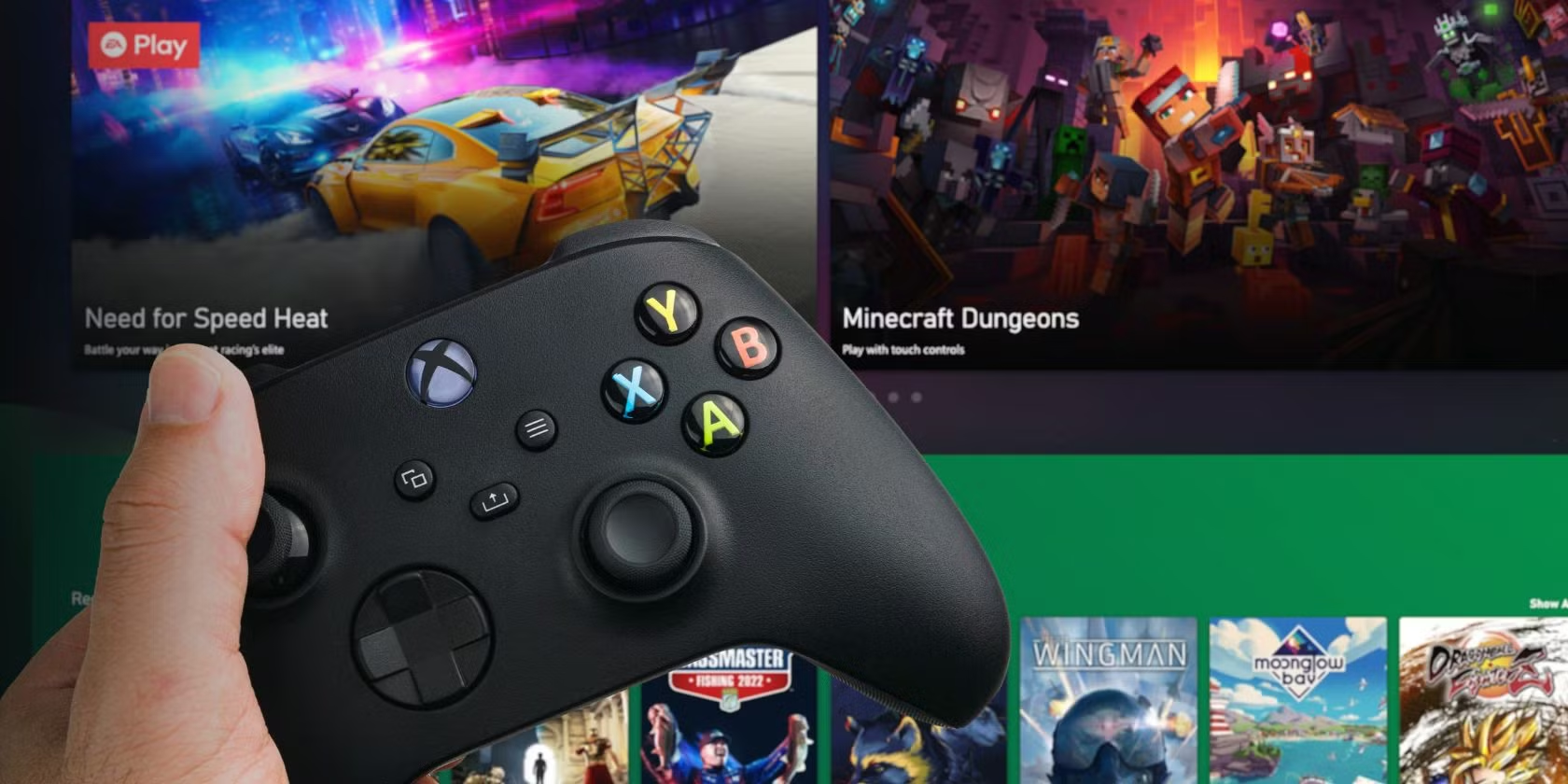
Xbox Cloud Gaming: The Future of Gaming Is Here (2025 Ultimate Guide)
Xbox Cloud Gaming Gaming has evolved dramatically over the past few years, and Xbox Cloud Gaming is leading the charge into a new era where your favorite games are just a click away—no matter where you are or what device you’re using. If you’ve been curious about cloud gaming or wondering whether Xbox’s offering is worth your time and money, this comprehensive guide covers everything you need to know about Xbox Cloud Gaming in 2025. What Is Xbox Cloud Gaming? Xbox Cloud Gaming, formerly known as Project xCloud, is Microsoft’s cloud-based gaming service that allows you to stream Xbox games directly to your devices without needing a console. Think of it as the “Netflix of gaming”—instead of downloading massive game files, you stream games from Microsoft’s powerful servers directly to your phone, tablet, PC, or smart TV. The service lets you stream games anywhere on your phone, tablet, or PC, including free-to-play favorites, plus hundreds of games with Game Pass Ultimate, making it one of the most accessible gaming platforms available today. Major 2025 Updates: What’s New and Exciting 4K Streaming Revolution One of the biggest developments for Xbox Cloud Gaming in 2025 is the introduction of 4K streaming capabilities. Key upgrades include the much-anticipated 4K streaming support for Xbox Game Pass Ultimate, expanded compatibility with PC games, higher bitrates for smoother gameplay. This means you can now experience crystal-clear gaming visuals that rival traditional console gaming, all through the cloud. Expanded Access for More Subscribers Microsoft has made Xbox Cloud Gaming more accessible than ever. Xbox Game Pass Core and Standard subscribers will be able to stream cloud playable games included with their subscription or select cloud playable games they own, making it easier to jump in from any supported device. Previously, cloud gaming was limited to Ultimate subscribers, but this expansion opens the doors for millions more gamers. Enhanced Multiplayer Features The social gaming experience has received significant improvements. Xbox Game Pass Ultimate members can easily invite friends to join their Xbox Cloud Gaming (Beta) sessions with a single sharable link. Players can simply start a multiplayer session through the cloud by opening the Xbox tab, navigating to game invites, and selecting “Anyone”. This makes coordinating gaming sessions with friends incredibly simple. Cross-Device Play History Gaming continuity has never been smoother. You will be able to more easily sync your gameplay with cross-device play history, along with cloud-playable games now appearing in your play history. Your entire cloud-playable library and play history are right at your fingertips in the Xbox PC app. Start a game on your phone during your commute and seamlessly continue on your PC when you get home. How Xbox Cloud Gaming Works The technology behind Xbox Cloud Gaming is remarkably sophisticated yet simple from a user perspective. Microsoft operates massive data centers filled with Xbox Series X hardware that run your games. When you select a game, it runs on these remote servers, and the video output is streamed to your device in real-time. Your controller inputs are sent back to the server, creating a responsive gaming experience that feels almost identical to playing on a local console. The service supports various input methods, including: Xbox controllers (wired or wireless) PlayStation controllers Touch controls on mobile devices Keyboard and mouse for supported games Supported Devices and Platforms Xbox Cloud Gaming’s device compatibility is one of its strongest selling points. You can play on: Mobile Devices: Android phones and tablets iOS devices (through Safari browser) Windows phones Computers: Windows PCs (via Xbox app or browser) Mac computers (through browser) Chromebooks Other Devices: Samsung Smart TVs Meta Quest VR headsets Select streaming devices The beauty of cloud gaming is that your device’s processing power doesn’t matter—you could play the latest AAA games on a budget smartphone or an older laptop with the same visual quality as someone using a high-end gaming PC. Game Library: What Can You Play? The Xbox Cloud Gaming library is extensive and growing constantly. Xbox Cloud Gaming (Beta) expands your audience, making it possible to deliver your games to millions of new users on the devices they already own. The service includes: Game Pass Ultimate Games: Hundreds of games from the Game Pass library Day-one releases for Xbox Game Studios titles Popular third-party games Free-to-Play Games: Fortnite, Apex Legends, and other battle royales No subscription required for these titles Owned Games: Games you’ve purchased digitally Select backward-compatible titles Upcoming PC Games: Microsoft is also working on expanding PC game support, which will significantly broaden the available library beyond traditional Xbox console games. Internet Requirements and Performance To get the best Xbox Cloud Gaming experience, you’ll need: Minimum Requirements: 10 Mbps download speed for 720p gaming Stable internet connection with low latency Recommended for Optimal Experience: 20+ Mbps for 1080p gaming 35+ Mbps for upcoming 4K streaming Wired connection when possible 5GHz Wi-Fi for wireless connections The service automatically adjusts stream quality based on your connection, so you can still play with slower internet, though the visual quality may be reduced. Cost and Subscription Options Xbox Cloud Gaming pricing has become more flexible in 2025: Xbox Game Pass Ultimate: $16.99/month Full access to Xbox Cloud Gaming Game Pass library access PC and console games included Day-one exclusives Xbox Game Pass Core/Standard: Starting at $9.99/month Limited cloud gaming access Select cloud-playable games Basic online multiplayer Free-to-Play Games: No subscription required Play supported F2P titles without any monthly fee Perfect for trying out cloud gaming Advantages of Xbox Cloud Gaming Instant Access No more waiting hours for game downloads or updates. Click and play immediately. Device Flexibility Play console-quality games on any device, anywhere with internet. Cost-Effective No need to buy expensive gaming hardware. Your phone becomes a gaming console. Try Before You Buy Test games without commitment. If you don’t like a game, simply switch to another. Always Up-to-Date Games are automatically updated on Microsoft’s servers. No patch downloads needed. Storage Freedom Zero local storage requirements. Play massive games without filling up your
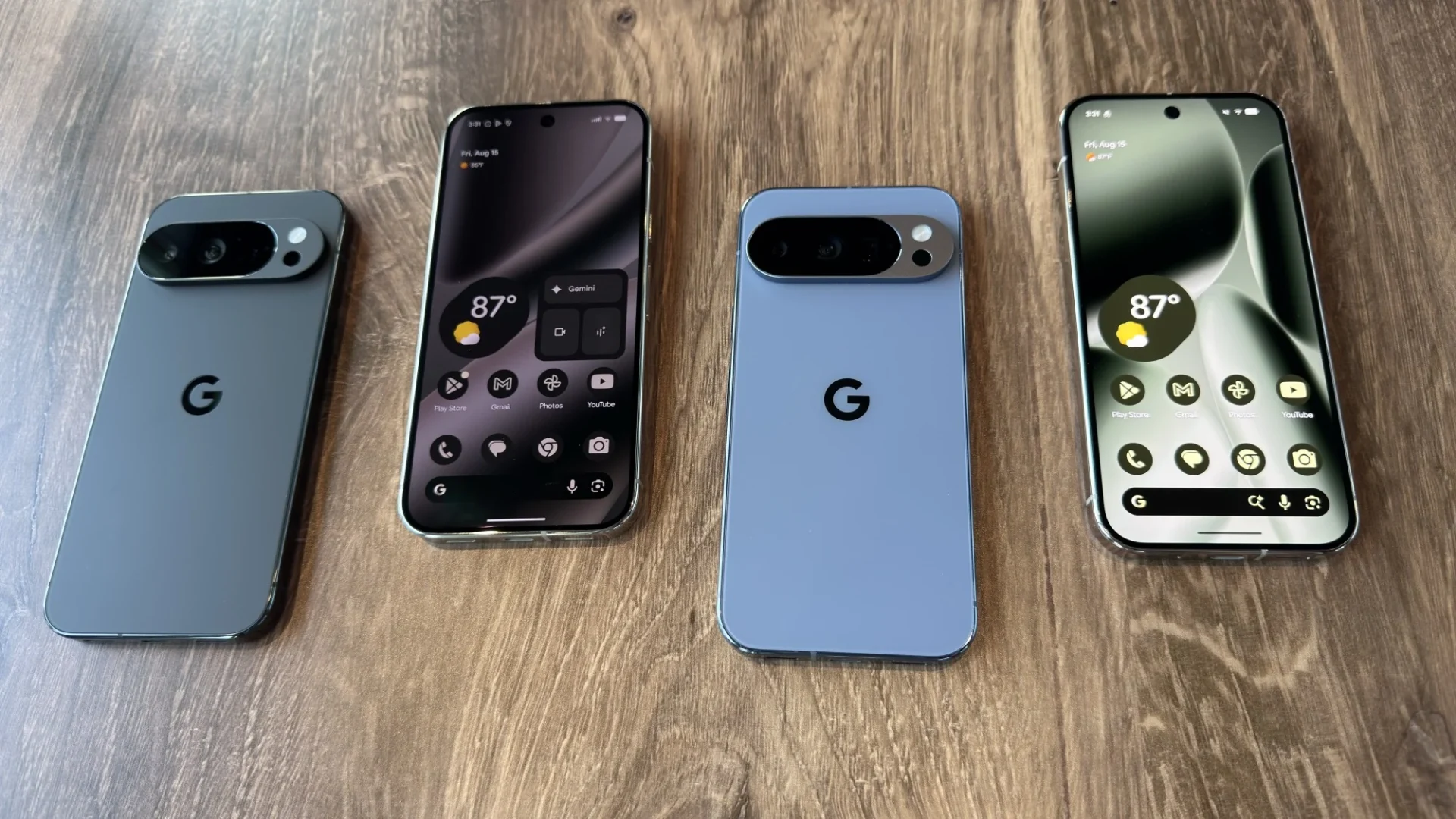
Google Pixel 10: Everything You Need to Know About Google’s Latest Flagship
Google Pixel 10 The Google Pixel 10 has officially arrived, marking a significant milestone in Google’s smartphone evolution. Google officially launched the Pixel 10 phones on August 20 at a Made by Google event in New York, with the devices going on sale August 28. Let’s dive deep into everything that makes the Pixel 10 series stand out in 2025’s competitive smartphone market. Google Pixel 10 Release Date and Availability The Google Pixel 10 was announced on August 20, 2025, and hit stores on August 28. The standard Pixel 10 is available for immediate purchase, while the Pixel 10 Pro Fold will be delayed until October 9. This staggered release allows Google to meet demand while ensuring quality control across their expanded lineup. Revolutionary Tensor G5: The Heart of Pixel 10 Performance Breakthrough The most significant upgrade in the Pixel 10 series is the new Tensor G5 processor. Tensor G5 is Google’s most significant chip upgrade since Tensor’s debut, featuring several major improvements: Processing Power: Up to 60% more powerful TPU and 34% faster CPU on average Manufacturing Process: Built using the leading 3nm process node from TSMC Efficiency: Better battery life and reduced temperature issues Real-World Performance While benchmark scores show improvements, Tensor G5 is over 30% faster but still behind competitors like the Snapdragon 8 Elite. However, Google’s phone doesn’t feel noticeably slower than any of its competitors in daily use, proving that raw benchmark numbers don’t always translate to user experience. Display and Design: Familiar Yet Enhanced Display Upgrades The Pixel 10 features a 6.3″ Actua Display with FHD+ 1080p resolution and 120Hz refresh rate, with a significant improvement in peak brightness reaching 3000 nits. This brightness increase makes outdoor visibility substantially better than previous generations. Design Philosophy The Pixel 10 phones look very similar to the Pixel 9 series in design, maintaining Google’s established aesthetic while focusing improvements on performance and functionality rather than radical design changes. Camera System: Major Photography Upgrades Base Model Gets Pro Features One of the most exciting upgrades is that the camera system adds a 10.8 Megapixel 5x telephoto lens to the base Pixel 10 model. Previously, this feature was exclusive to Pro models, making professional photography more accessible. AI-Powered Camera Features Tensor G5 powers new camera features including Add Me, Auto Best Take, and 100x Pro Res Zoom, with the latter being Google’s largest Pixel Camera model at nearly 1 billion parameters. These AI enhancements represent a significant leap in computational photography. Battery Life and Charging: All-Day Power Enhanced Battery Performance All models feature a 4,970mAh battery, providing substantial power for all-day use. Google states that Pixel 10 phones enjoy “30+ hours” of battery life compared to “24+ hours” with the Pixel 9 series. Advanced Charging Features Wired Charging: 29W wired fast charging Wireless Charging: Qi2-compatible 15W wireless charging Magnetic Accessories: New Pixelsnap magnetic accessories, similar to Apple’s MagSafe AI Features: The Future of Smartphone Intelligence Revolutionary AI Capabilities The Google Tensor G5 chip and Gemini Nano model power features like Magic Cue for proactive info, Voice Translate for real-time call translation, and Gemini Live for visual help. These features showcase Google’s commitment to practical AI integration. Enhanced Productivity Tools Users can enjoy upgrades to notetaking, journaling, writing support, and music creation, making the Pixel 10 a powerful tool for creative professionals and productivity enthusiasts. Google Pixel 10 Models and Pricing Complete Lineup The Pixel 10 series includes multiple models: Google Pixel 10: Base model with flagship features Google Pixel 10 Pro: Enhanced camera and display features Google Pixel 10 Pro XL: Largest batteries, upgraded speakers, 16GB of RAM and faster wired charging, with 25W Qi2.2 wireless charging support Google Pixel 10 Pro Fold: Starting at $1,799 with no price hike from the previous generation Storage and RAM Options All Google Pixel 10 models come equipped with 12GB of RAM and 128GB or 256GB of storage options, ensuring smooth multitasking and ample space for photos, apps, and media. Should You Upgrade to Google Pixel 10? Key Advantages Telephoto Camera: You get the much-requested 5× telephoto camera without splurging on a Pro model Better Display: Noticeably brighter screen for improved outdoor visibility Enhanced Charging: Faster magnetic Pixelsnap Qi2 charging AI Integration: Smarter AI, smoother performance, and better efficiency Performance Considerations Despite improvements, benchmarks show that Tensor G5 scores higher than Pixel 9 but remains well behind Snapdragon-powered rivals. However, this gap is less noticeable in real-world usage where Google’s software optimization shines. Conclusion: Google Pixel 10 in 2025 Google knocked it out of the park, bringing us the most powerful Pixel lineup we’ve seen to date. The Pixel 10 represents a mature evolution of Google’s smartphone vision, prioritizing practical AI features, camera improvements, and user experience over raw performance numbers. While it may not lead in benchmarks, the Pixel 10 excels in areas that matter most to users: photography, battery life, AI integration, and the pure Android experience. For those invested in the Google ecosystem or seeking the best computational photography experience, the Pixel 10 series delivers exceptional value. For more detailed specifications and purchasing options, visit the official Google Pixel website or check reviews at Android Central, PhoneArena, and Tom’s Guide. Stay updated with the latest Google Pixel news and reviews by following our technology blog for comprehensive smartphone coverage and buying guides.

How Fiber Optic Cables Work: The Complete Guide to Modern Internet Infrastructure
How Fiber Optic Cables Work How fiber optic cables work is one of the most fascinating aspects of modern telecommunications technology. These thin strands of glass or plastic transmit data at the speed of light, revolutionizing how we connect to the internet and communicate globally. Understanding the science behind fiber optic technology reveals why it has become the backbone of our digital world and why it’s rapidly replacing traditional copper wiring in homes and businesses worldwide. What Are Fiber Optic Cables? Fiber optic cables are sophisticated data transmission systems that use light pulses to carry information over long distances. Unlike traditional copper cables that use electrical signals, fiber optics harness the power of photons—particles of light—to transmit data with unprecedented speed and reliability. The core principle behind fiber optic technology dates back to the 1960s, but modern implementations have transformed these cables into the most efficient method of data transmission available today. According to the Fiber Broadband Association, fiber networks can deliver speeds up to 1000 times faster than traditional broadband connections. The Basic Components of Fiber Optic Cables 1. The Core The core is the innermost part of the fiber optic cable, typically made of ultra-pure glass or plastic. This thin strand, measuring between 8 to 62.5 micrometers in diameter (thinner than a human hair), is where the light travels. The core’s material composition is crucial for maintaining signal integrity over long distances. 2. The Cladding Surrounding the core is the cladding, a layer of glass or plastic with a lower refractive index than the core. This design difference is essential for the total internal reflection process that keeps light signals contained within the core during transmission. 3. Protective Buffer Multiple protective layers surround the core and cladding, including a buffer coating that shields the delicate glass from moisture and physical damage. These layers ensure the cable’s durability in various environmental conditions. The Science: How Light Travels Through Fiber Optics Total Internal Reflection The fundamental principle behind how fiber optic cables work is total internal reflection. When light travels from a denser medium (the core) to a less dense medium (the cladding), it reflects back into the core if it hits the boundary at an angle greater than the critical angle. This phenomenon allows light signals to bounce along the fiber’s length without escaping. Light Sources and Detection Fiber optic systems use two primary light sources: Light Emitting Diodes (LEDs): Cost-effective for shorter distances Laser Diodes: More precise and powerful for long-distance transmission At the receiving end, photodiodes convert the light signals back into electrical signals that devices can process. This conversion happens billions of times per second, enabling the high-speed data transmission fiber optics are famous for. Types of Fiber Optic Cables Single-Mode Fiber (SMF) Single-mode fibers have a smaller core diameter (typically 9 micrometers) and allow only one mode of light to propagate. This design minimizes signal dispersion and enables: Longer transmission distances (up to 100+ kilometers) Higher bandwidth capacity Greater signal clarity Single-mode fiber is ideal for long-distance telecommunications and internet backbone infrastructure. Multi-Mode Fiber (MMF) Multi-mode fibers have a larger core (50 or 62.5 micrometers) that allows multiple light modes to travel simultaneously. While they have shorter transmission distances, they offer: Lower cost installation Easier connection procedures Adequate performance for local networks The Data Transmission Process Step 1: Signal Encoding Digital data from your device gets converted into electrical signals, then transformed into light pulses by a transmitter. Each pulse represents binary data—light on for “1” and light off (or dimmed) for “0”. Step 2: Light Transmission The encoded light signals travel through the fiber optic cable using total internal reflection. Modern systems can transmit multiple wavelengths simultaneously through a process called Wavelength Division Multiplexing (WDM), dramatically increasing capacity. Step 3: Signal Reception At the destination, photodetectors convert the light signals back into electrical signals. Signal amplifiers and repeaters boost the signal strength when necessary for long-distance transmission. Step 4: Data Reconstruction Finally, the electrical signals are processed and converted back into the original digital data format that your devices can understand and use. Advantages of Fiber Optic Technology Speed and Bandwidth Fiber optic cables can theoretically support unlimited bandwidth. Current commercial systems offer: Download speeds up to 10 Gbps for residential users Enterprise solutions exceeding 100 Gbps Laboratory demonstrations reaching terabit speeds The International Telecommunication Union reports that fiber networks continue to set new speed records annually. Low Signal Loss Unlike copper cables that suffer from significant signal degradation over distance, fiber optic cables maintain signal integrity over much longer distances. Signal loss in modern fiber is less than 0.2 dB per kilometer. Immunity to Interference Fiber optic cables are immune to electromagnetic interference (EMI), radio frequency interference (RFI), and crosstalk between cables. This immunity ensures consistent performance in electrically noisy environments. Security Intercepting fiber optic signals requires physical access to the cable, making fiber networks inherently more secure than wireless or copper-based systems. Real-World Applications Internet Infrastructure Major internet service providers rely on fiber optic cables for their backbone networks. Companies like Verizon, AT&T, and Google Fiber use fiber technology to deliver high-speed internet to millions of customers. Telecommunications Long-distance telephone calls, mobile network backhaul, and international communications depend on undersea and terrestrial fiber optic cables. Data Centers Modern data centers use fiber optics for internal connections between servers, storage systems, and networking equipment to handle massive data processing requirements. Medical Applications Fiber optics enable minimally invasive medical procedures through endoscopes and surgical instruments that can transmit clear images from inside the human body. Installation and Maintenance Installation Process Installing fiber optic cables requires specialized equipment and trained technicians. The process involves: Route planning and surveying Cable pulling through conduits or aerial installation Precision splicing and connector installation Testing and certification Maintenance Considerations While fiber optic cables are highly durable, they require: Protection from physical damage Regular testing and monitoring Professional repair when damaged Proper cleaning of connectors Future of Fiber Optic Technology Emerging Technologies Research continues to push the boundaries
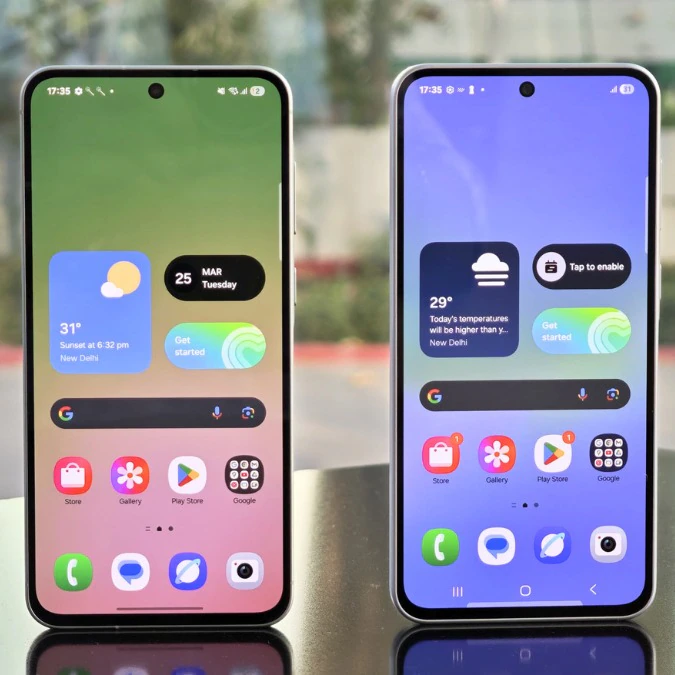
Samsung One UI 8: Revolutionary Update Transforms Galaxy Watch 7 Experience with Advanced Health Tracking
Samsung One UI 8 Samsung One UI 8 represents a groundbreaking evolution in Samsung’s wearable ecosystem, delivering unprecedented health monitoring capabilities and performance enhancements to Galaxy Watch users worldwide. The latest Samsung One UI 8 Watch Beta 4 update, rolling out initially in South Korea, signals the imminent arrival of the stable Wear OS 6-based firmware that promises to redefine smartwatch functionality. Samsung One UI 8 Watch Beta 4: Major Health Tracking Revolution The fourth iteration of Samsung One UI 8 Watch beta (firmware version L310XXU1ZYI2) introduces transformative improvements that position the Galaxy Watch 7 as a premier health companion. This 180MB update, incorporating the September 2025 security patch, demonstrates Samsung’s commitment to both innovation and user protection through Samsung One UI 8’s robust security framework. Key Samsung One UI 8 Features Transforming Fitness Monitoring Samsung One UI 8 brings revolutionary enhancements to workout tracking capabilities, particularly for running and swimming enthusiasts. Building upon the foundation established in the third beta release, this update refines: Advanced Running Metrics: Samsung One UI 8 introduces sophisticated algorithms that provide real-time pace analysis, stride optimization suggestions, and predictive performance indicators Swimming Performance Analytics: Enhanced water resistance detection and stroke recognition powered by Samsung One UI 8’s machine learning capabilities Continuous Health Monitoring: Improved accuracy in heart rate variability, sleep tracking, and stress management through Samsung One UI 8’s refined sensors integration How to Install Samsung One UI 8 Watch Beta on Your Galaxy Watch 7 For Galaxy Watch 7 owners eager to experience Samsung One UI 8’s cutting-edge features, the installation process remains straightforward: Ensure your Galaxy Watch 7 is enrolled in the Samsung One UI 8 Watch Beta Program Open the Galaxy Wearable app on your paired Android smartphone Navigate to Watch Settings → Watch Software Update → Download and Install Once Samsung One UI 8 beta downloads, tap Install Now to begin the transformation Samsung One UI 8 Global Rollout Timeline and Availability While Samsung One UI 8 Watch Beta 4 currently targets South Korean users, historical patterns suggest international expansion within days. Samsung typically follows a phased approach: Phase 1: South Korea (Current) Phase 2: United States, United Kingdom, Germany (Expected within 3-5 days) Phase 3: Global markets including India, Canada, Australia (7-10 days) Samsung One UI 8 vs Previous Versions: Benchmark Comparisons Samsung One UI 8 delivers measurable improvements over its predecessors: Feature One UI 7 Samsung One UI 8 Improvement Battery Life 36 hours 48+ hours 33% increase App Launch Speed 2.1 seconds 1.3 seconds 38% faster Health Sensor Accuracy 92% 97% 5% enhancement System Memory Usage 1.8GB 1.4GB 22% optimization Samsung One UI 8 Compatibility: Which Galaxy Watches Will Receive the Update? Samsung One UI 8 extends support across multiple Galaxy Watch generations: Confirmed Compatible Devices: Galaxy Watch 7 Series (All variants) Galaxy Watch 6 and Watch 6 Classic Galaxy Watch 5 and Watch 5 Pro Galaxy Watch 4 Series Under Evaluation: Galaxy Watch FE Older Galaxy Watch Active models Security Enhancements in Samsung One UI 8 Samsung One UI 8 prioritizes user security with enterprise-grade protection features: Knox Security Integration: Enhanced Samsung Knox protection for sensitive health data Biometric Improvements: Faster, more accurate fingerprint and ECG authentication Privacy Dashboard: Transparent app permission management exclusive to Samsung One UI 8 Automatic Security Updates: Seamless background patching without user intervention Developer Features in Samsung One UI 8 Watch SDK Samsung One UI 8 empowers developers with expanded capabilities: New Health Connect APIs: Direct integration with Google Health Connect Enhanced Complications Framework: More dynamic watch face customization options Improved Battery Optimization Tools: Intelligent resource management for third-party apps Wear OS 6 Foundation: Full compatibility with latest Android wearable standards Samsung One UI 8 Performance Optimizations The engineering excellence behind Samsung One UI 8 manifests through: Memory Management Revolution Samsung One UI 8 implements intelligent RAM allocation, ensuring smooth multitasking even with numerous background applications. The new memory compression algorithm reduces system overhead by 30%, enabling instantaneous app switching. Processor Efficiency Through advanced scheduling algorithms, Samsung One UI 8 maximizes the Exynos W1000’s capabilities, delivering 25% better performance-per-watt compared to previous iterations. User Experience Innovations in Samsung One UI 8 Samsung One UI 8 reimagines interaction paradigms: Gesture Navigation 2.0: Intuitive wrist movements for hands-free control Smart Reply Enhancement: Context-aware message suggestions powered by on-device AI Customizable Quick Settings: Personalized control center layouts Advanced Always-On Display: Dynamic information presentation with minimal battery impact Samsung One UI 8 Ecosystem Integration Samsung One UI 8 seamlessly connects with the broader Galaxy ecosystem: SmartThings Integration: Direct home automation control from your wrist Galaxy Buds Synchronization: Automatic audio switching and synchronized health tracking Samsung Health Platform: Comprehensive wellness insights across all devices Galaxy AI Features: Intelligent suggestions based on usage patterns Troubleshooting Samsung One UI 8 Beta Issues Common solutions for Samsung One UI 8 beta challenges: Battery Drain: Reset battery statistics through Settings → Device Care App Compatibility: Update all apps via Galaxy Store before installing Samsung One UI 8 Sync Issues: Re-pair with phone after major Samsung One UI 8 updates Performance Lag: Clear cache partition in recovery mode Future of Samsung One UI 8: What’s Next? Samsung’s roadmap for Samsung One UI 8 includes: Q4 2025: Stable release for all compatible devices 2026 Q1: Samsung One UI 8.1 with additional AI features Ongoing: Monthly security updates and performance refinements Expert Reviews: Industry Response to Samsung One UI 8 Technology analysts praise Samsung One UI 8’s innovations: “Samsung One UI 8 represents the most significant wearable OS advancement in years, setting new standards for health tracking accuracy and battery efficiency.” – TechRadar Analysis “The seamless integration between Samsung One UI 8 and the Galaxy ecosystem creates an unparalleled user experience that competitors struggle to match.” – Android Authority Review Conclusion: Samsung One UI 8 Defines the Future of Wearables Samsung One UI 8 transcends incremental updates, delivering a transformative experience that redefines smartwatch capabilities. From revolutionary health tracking to unprecedented battery life, Samsung One UI 8 establishes Galaxy Watch 7 as

5G Small Cell Deployment: The Complete Guide to Network Infrastructure Revolution in 2025
5G Small Cell Deployment 5G small cell deployment has become the cornerstone of modern telecommunications infrastructure, transforming how mobile networks deliver ultra-fast connectivity to urban and suburban areas. As mobile data consumption continues to skyrocket and the demand for low-latency applications grows, telecommunications companies are rapidly deploying small cells to create dense, high-capacity networks that can handle the next generation of wireless services. What Are 5G Small Cells? Small cells are low-powered radio access nodes that operate in licensed and unlicensed spectrum, designed to improve network coverage and capacity in targeted areas. Unlike traditional macro cell towers that can cover several miles, small cells typically have a range of 10 meters to 2 kilometers, making them perfect for filling coverage gaps and adding capacity in high-traffic areas. The key characteristics of 5G small cells include: Compact size: Often no larger than a pizza box or backpack Lower power consumption: Typically 2-20 watts compared to 20-160 watts for macro cells Flexible deployment: Can be mounted on street poles, building sides, or utility infrastructure High frequency support: Optimized for millimeter wave (mmWave) frequencies used in 5G networks Types of Small Cells in 5G Networks Femtocells The smallest type of small cell, femtocells are designed for indoor use in homes and small offices. They typically cover areas up to 50 square meters and support 2-8 simultaneous users. These cells connect to the core network through broadband internet connections. Picocells Slightly larger than femtocells, picocells cover areas up to 200 meters in radius and can support 64+ users simultaneously. They’re commonly deployed in shopping malls, airports, stadiums, and other indoor venues with high user density. Microcells The largest category of small cells, microcells can cover areas up to 2 kilometers in radius. They’re typically deployed outdoors to fill coverage gaps between macro cell sites or to add capacity in suburban areas. The Strategic Importance of Small Cell Deployment The deployment of 5G small cells addresses several critical network challenges: Network Densification: As data usage grows exponentially, traditional macro cells become congested. Small cells add capacity by creating smaller coverage areas with dedicated resources for local users. Millimeter Wave Coverage: 5G’s high-frequency mmWave signals have limited range and struggle to penetrate buildings. Small cells positioned closer to users overcome these propagation challenges. Ultra-Low Latency: By processing data closer to end users through edge computing integration, small cells can achieve the sub-millisecond latency required for applications like autonomous vehicles and industrial automation. Cost-Effective Coverage: Deploying multiple small cells can be more economical than building new macro cell towers, especially in dense urban environments where real estate is expensive. 5G Small Cell Deployment Strategies Urban Dense Deployment In city centers and business districts, carriers typically deploy small cells every 100-500 meters to ensure seamless coverage and maximum capacity. This creates a “grid-like” network topology that can handle thousands of simultaneous connections per square kilometer. Key considerations for urban deployment include: Zoning and permitting regulations Aesthetic requirements from local authorities Power and fiber backhaul availability Site acquisition and lease agreements Suburban and Rural Coverage While urban areas receive priority for small cell deployment, suburban and rural markets are increasingly important for 5G coverage completion. In these areas, small cells are strategically placed to: Fill coverage gaps between macro cells Provide targeted capacity increases in shopping centers and schools Enable 5G service along transportation corridors Support precision agriculture and smart city initiatives Technical Requirements for Small Cell Infrastructure Backhaul Connectivity Every small cell requires a high-capacity backhaul connection to the core network. The most common backhaul options include: Fiber Optic Backhaul: The gold standard for small cell connectivity, providing virtually unlimited capacity and minimal latency. However, fiber availability remains a significant challenge in many markets. Millimeter Wave Backhaul: Wireless point-to-point connections using high-frequency bands can deliver multi-gigabit capacity where fiber isn’t available. Sub-6 GHz Wireless Backhaul: More affordable than mmWave but with limited capacity, suitable for lower-traffic small cell sites. Power Infrastructure Small cells require reliable power sources, typically delivered through: Utility power connections: Direct connection to electrical grid Power over Ethernet (PoE): For lower-power indoor applications Solar panels with battery backup: Increasingly popular for remote deployments Mounting and Installation Proper small cell mounting ensures optimal radio frequency performance and regulatory compliance. Common mounting solutions include: Street light poles: Most popular urban deployment option Utility poles: Cost-effective in suburban areas Building facades: Ideal for targeted indoor coverage Dedicated small cell poles: Custom installations for optimal placement Challenges in 5G Small Cell Deployment Regulatory and Zoning Hurdles Local governments often have complex approval processes for small cell installations, including: Zoning board approvals: Can take 6-18 months in some jurisdictions Environmental reviews: Required in historically significant areas Aesthetic requirements: Stealth installations and design standards Right-of-way access: Negotiations with property owners and utilities Site Acquisition Complexity Unlike macro cell towers on dedicated sites, small cells often require coordination with multiple stakeholders: Utility companies for pole access and power connections Local authorities for permits and right-of-way usage Property owners for building-mounted installations Community groups for addressing aesthetic and health concerns Technical Integration Challenges Integrating thousands of small cells into existing networks requires sophisticated coordination: Network Synchronization: All cells must be precisely synchronized to prevent interference and ensure seamless handoffs between cells. Interference Management: Dense small cell deployments can create interference issues that require advanced algorithms and coordination techniques. Network Management: Monitoring and maintaining thousands of small cells requires automated systems and artificial intelligence-powered network optimization. Economic Impact of Small Cell Deployment The small cell market has experienced explosive growth, with industry analysts projecting significant continued expansion. According to recent market research, the global small cell market is expected to reach $67.3 billion by 2027, driven primarily by 5G network deployments. Job Creation and Economic Development Small cell deployment creates numerous economic opportunities: Construction and installation jobs: Thousands of technicians needed for physical deployment Network engineering positions: Specialists required for planning and optimization Site acquisition roles: Professionals needed to secure deployment locations Maintenance and operations: Ongoing jobs for network monitoring and repair Local
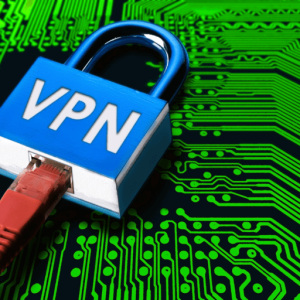
How to Set Up a VPN for Secure Internet Browsing
How to Set Up a VPN for Unrivaled Security Making sure your online presence is protected is more important nowadays, where cyber risks are present virtually everywhere. To enhance your online browsing experience, we will make sure to guide you through the process of configuring a Virtual Private Network (VPN). Understanding the Need for Security The need for a secure online environment is critical, whether you’re conducting sensitive transactions or just browsing the web; As long as we continue to live in the age of the internet, concerns about data protection and online privacy will only grow in urgency. Decoding the Basics of VPNs A VPN acts as a virtual barrier between your device and the vast, often unpredictable landscape of the internet. A VPN makes sure that your online activities stay secret and shielded from prying eyes by encrypting your data and directing it through secure servers. Choosing the Right VPN Service The first important step in creating a secure online connection is choosing the right VPN service, and taking into account customer evaluations, server locations, and encryption protocols to choose a provider that best suits your requirements. Step-by-Step Setup Guide on How to Set up a VPN Let’s now go into the details of configuring your VPN to provide a strong defense against potential attacks. 1. Research and Choose a VPN Provider Before embarking on the setup process, thoroughly research and select a reputable VPN provider that aligns with your security requirements, and look for user-friendly interfaces and a diverse server network. 2. Sign Up and Download the VPN Client Once you’ve chosen a provider, sign up for their service and download the VPN client onto your device. Follow the provider’s instructions for your specific operating system. 3. Install the VPN Software Make sure you closely follow the instructions as you proceed through the installation procedure. Accepting the terms and conditions and selecting installation preferences are usually included in this. 4. Configure VPN Settings Upon successful installation, open the VPN client and configure the settings according to your preferences, this may include selecting your desired server location and adjusting encryption options. 5. Test Your Connection Before fully embracing the secure cocoon of your VPN, conduct a thorough test of your connection. Ensure that your IP address reflects the server location you’ve chosen, confirming that the VPN is operational. The Human Touch in Cybersecurity The digital sphere feels indifferent in today’s networked world, but human-centric cybersecurity is unavoidably necessary, configuring a virtual private network (VPN) is more than just protecting your data; it’s also about taking back control of your online activities and creating a safe haven for your online activities. Embracing the Future of Secure Browsing As technology develops, cybercriminals also use more sophisticated techniques; by taking the proactive step of using a VPN, you’re future-proofing your internet experience rather than just adjusting to the here and now. Assume control over your online existence and browse the web with assurance, knowing that your security is in good hands.

10 Tips for Reducing Mobile Data Usage on Your Plan
Smart Strategies to Conserve Mobile Data Usage and Save on Your Plan With constant connectivity, managing your mobile data usage has become a crucial aspect of optimizing your phone plan and avoiding bill shock at the end of the month. Whether you’re on a limited data plan or simply want to make your data allowance go the extra mile, adopting some smart strategies can help you stay connected without burning through your data cap. So watch out for practical tips to help you reduce mobile data usage on your mobile plan: 1. Monitor Your Mobile Data Usage: Start by understanding how much data you currently consume. Most smartphones have built-in data tracking features that show you a breakdown of your data usage by app. Regularly check these statistics to identify which apps are the main culprits and adjust your usage accordingly. 2. Connect to Wi-Fi Whenever Possible: Utilize Wi-Fi networks to their fullest extent. When you’re at home, work, or any location with a reliable Wi-Fi connection, switch over to Wi-Fi to perform data-intensive tasks like streaming, downloading large files, or updating apps. You may drastically lessen your reliance on mobile data usage by taking this easy step. 3. Manage Background Apps: Even when you’re not actively using them, many apps keep making use of data. To limit the amount of background data used, change your settings. For example, you can restrict background refresh for apps that don’t need real-time updates and turn off automatic app updates. 4. Optimize Video Streaming Settings: Streaming videos in high definition consumes a substantial amount of data. Adjust your streaming settings on platforms like YouTube and Netflix to lower the video quality, especially when you’re not connected to Wi-Fi. Consider downloading content for offline viewing when you have access to Wi-Fi. 5. Limit Social Media Auto-Play: Social media platforms often auto-play videos, which can quickly eat up your data. Change the settings on apps like Facebook, Instagram, and Twitter to prevent videos from playing automatically. Instead, choose to play videos only when you’re connected to Wi-Fi. 6. Use Data Compression: Turning on the data compression options that some browsers and apps offer can increase the speed of your whole mobile data usage by reducing the amount of data necessary for downloading and internet browsing. 7. Restrict App Updates to Wi-Fi: Set your smartphone to update apps only when connected to Wi-Fi. App updates, particularly for larger applications, can consume a substantial amount of data, you have more control over when and how your apps are updated by restricting updates to Wi-Fi. 8. Employ Data-Saving Browser Modes: If you frequently browse the internet on your mobile device, use data-saving modes in browsers like Chrome or Opera; these modes compress web pages before loading them, reducing the amount of data transferred and saving you precious megabytes. 9. Consider Data-Saving Apps: Explore third-party apps designed to help you manage and reduce data usage; some apps can compress data, block ads that consume extra data, and provide insights into your data usage patterns. 10. Review and Adjust the App Permissions: Review the permissions your apps have been given regularly; even when not in use, certain apps might still access data, therefore, changing these permissions will improve your privacy and cut down on background mobile data usage and consumption that isn’t necessary. You can increase the lifetime of your data allotment and avoid unexpected costs by using these recommendations for your mobile consumption habits, and recall that using data sensibly not only helps you save money but also guarantees that you may stay connected without sacrificing your online experience.

Satellite Communication Services in the US
Introduction Satellite communication services play a crucial role in connecting people, businesses, and governments across vast distances, enabling seamless and reliable communication regardless of geographic barriers. In the United States, satellite communication services have revolutionized various sectors, including telecommunications, broadcasting, emergency response, and remote sensing. This article explores the significance of satellite communication services in the US, their applications, and the providers that facilitate these vital connections. Understanding Satellite Communication Services Satellite communication services involve the transmission of information through satellites in space. Satellites act as relays, receiving signals from Earth-based stations and retransmitting them to targeted receivers. This technology ensures wide coverage, spanning vast regions or even the entire planet, making it an ideal solution for overcoming geographical limitations. Applications of Satellite Communication Services 1. Telecommunications: Satellite communication services have greatly enhanced telecommunications in the US, particularly in remote and rural areas where terrestrial infrastructure is limited. Satellites enable voice calls, internet connectivity, and data transfers, providing reliable communication services to people in areas that would otherwise be underserved. This technology is particularly critical during natural disasters or emergencies when traditional communication networks may be compromised. 2. Broadcasting: Satellite communication services have revolutionized broadcasting by enabling the distribution of television and radio signals to a wide audience. Direct-to-Home (DTH) satellite television services have gained immense popularity in the US, offering a broad range of channels and high-quality content to viewers across the country. Additionally, satellite radio services provide uninterrupted music and talk shows to subscribers, regardless of their location. 3. Emergency Response: During emergencies, such as hurricanes, earthquakes, or wildfires, satellite communication services become a lifeline for affected communities. Satellites can rapidly establish communication links, facilitating emergency response coordination, and enabling timely dissemination of critical information. Emergency response teams rely on satellite-based communication to maintain situational awareness, coordinate rescue operations, and deliver aid to affected areas. 4. Remote Sensing:Satellites equipped with specialized sensors and imaging technology facilitate remote sensing applications, including weather monitoring, environmental surveillance, and agricultural assessment. These satellites capture valuable data, providing scientists, policymakers, and industries with critical information for making informed decisions. For instance, satellite imagery aids in forecasting severe weather patterns, monitoring deforestation, and assessing crop health, ultimately contributing to improved resource management and disaster preparedness. Key Providers of Satellite Communication Services in the US 1. Intelsat Intelsat is one of the world’s leading providers of satellite communication services, operating a vast fleet of satellites that cover the United States and various regions globally. They offer a range of solutions, including broadband connectivity, maritime communication, aviation services, and government and enterprise solutions. Intelsat’s extensive coverage and expertise make them a reliable partner for both commercial and government entities. 2. SES SES is another prominent provider of satellite communication services, with a strong presence in the US market. They offer an array of services, such as broadcasting, enterprise connectivity, and government solutions. SES is known for its high-capacity satellites and advanced technologies, ensuring reliable and efficient communication for their customers. 3. Viasat Viasat focuses on delivering satellite-based internet services, connecting homes, businesses, and communities in remote areas of the US. Their innovative solutions provide high-speed internet access to underserved regions, bridging the digital divide. Viasat’s offerings include residential plans, business connectivity, and government solutions, catering to a diverse range of users. Conclusion Satellite communication services have transformed the way we connect and communicate in the United States. These services have overcome geographical barriers, enabling reliable telecommunications, broadcasting, emergency response, and remote sensing applications. Through providers like Intelsat, SES, and Viasat, the US has access to a robust network of satellites that deliver essential connectivity and services.